How to Hide Filled Regions by Type… Using a View Filter in Revit
Let’s say you have some linked RVT files and you are using ‘By Linked View’ for visibility. What if you just want to hide off a single type of Filled Region from that Linked View? Is it possible? Yep, here’s how:
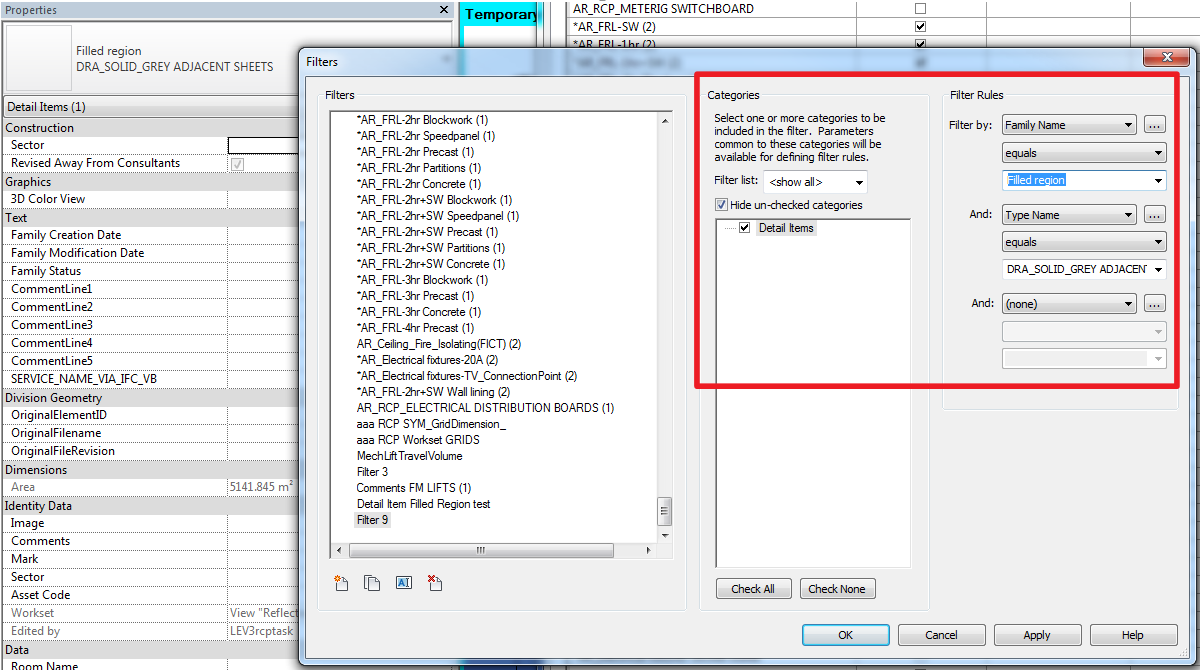
- Make a new View Filter for Detail Items that looks like the below, using Family Name equals Filled Region, and the relevant Type as properties:
- Add this View Filter to your View or View Template
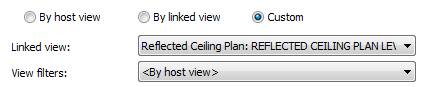
- In the visibility properties for that Link, make sure you set Filters to By Host View…
Done!
Discussion
1 archived comments. New comments are not enabled.