Use the Close snap override for closing chained loops
Here is a little workflow tip for drawing closed loops:
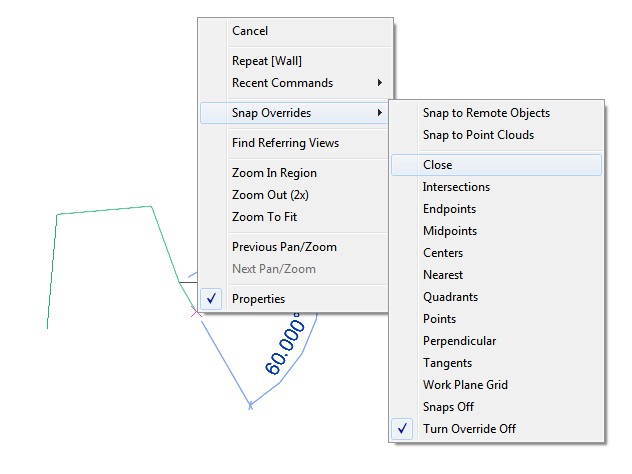
- Start making a Wall, Line or similar with the Chain option ticked in the Options bar.
- Click to make lines until you reach the final segment…
- Right-click, Snap Overrides – Close
- Revit will magnetically choose the correct ‘closing’ point.
- Left-click to close the loop.
Discussion
0 archived comments. New comments are not enabled.