Select Section Box of 3D View from Project Browser
I knew that you could select the ‘camera’ element of a 3D View by right-clicking the 3D View name in the Project Browser and clicking ‘Show Camera’.
However, I did not realise that you can also select the Section Box of a 3D View in the same way.
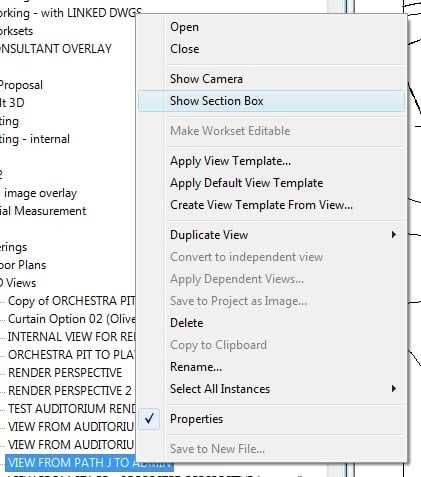
This is a very handy way to modify Section Boxes.
Discussion
2 archived comments. New comments are not enabled.
What version of Revit do you have?
I am also running RAC2011 SP1.