Revizto Update Viewpoints and new UI Settings in Latest Update
In the latest Revizto update (version 4.6.3, build 41736) you are able to change the UI scale in the General settings. This is very useful for 4K screen resolutions:
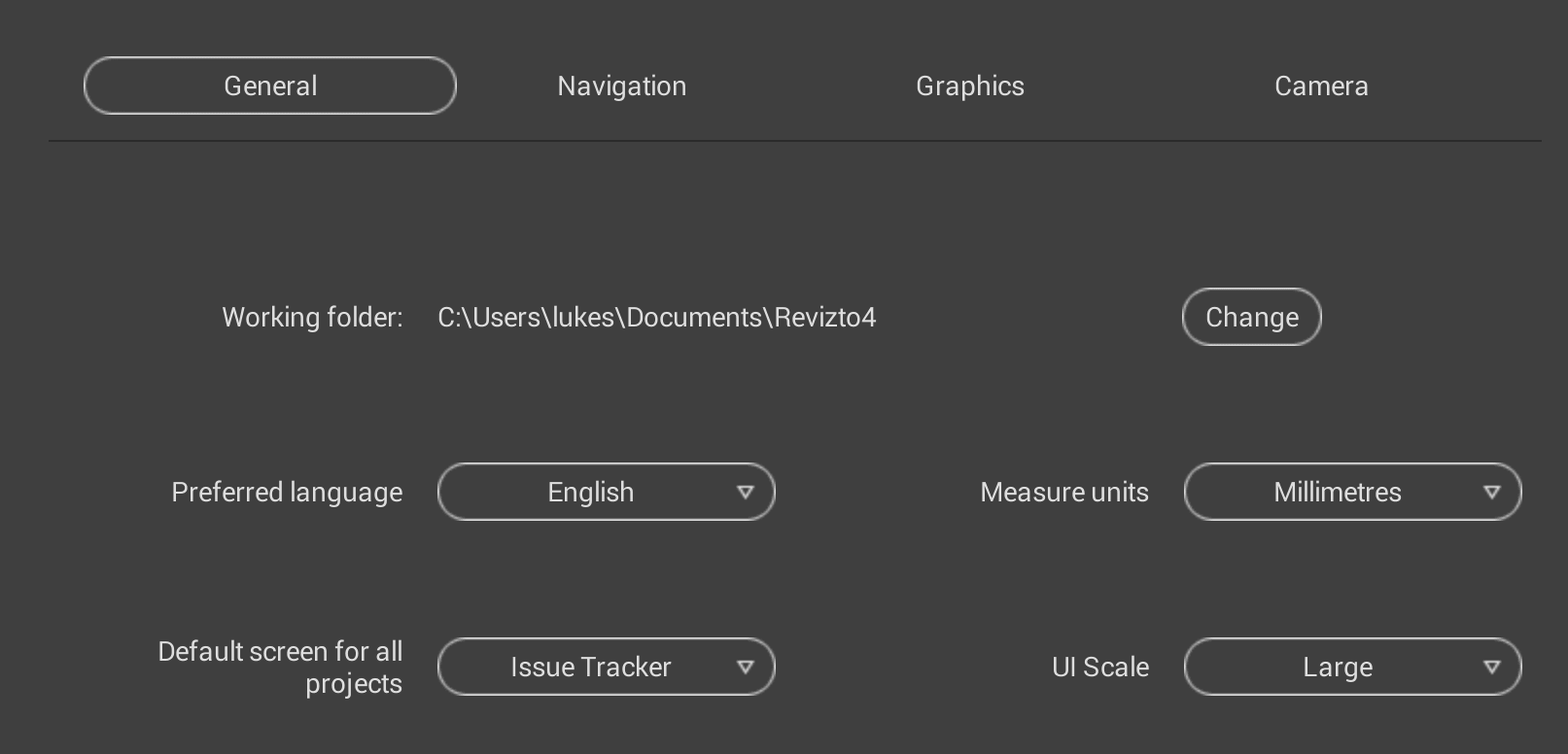
You can also set the Default Launch Screen as shown above.
The ability to update existing viewpoints is also present. You navigate to a Viewpoint, then as you move away from it a update icon will appear next to the viewpoint name. Just click that icon to update the Viewpoint. The video below shows this in action:
Discussion
1 archived comments. New comments are not enabled.