Exporting Navisworks Saved Viewpoints to BCF for Use in Revizto
As you know, Revizto is the best Integrated Collaboration Platform on the market today, especially if we are talking about AEC and BIM Coordination and Management. However, some people and companies still do things ‘the old way’. For example, some companies still create Viewpoints in Navisworks, share those Viewpoints as actions, and call that ‘coordination’ or ‘collaboration’ (which it really isn’t). Instead, with the Revizto ribbon in Navisworks, you can simply click Create Issue, Apply a Stamp, and immediately start collaborating with your team in the cloud.
But, we generally still have to sometimes work with people who do things ‘the old way’. So, if we still want to mainly work in Revizto, but we are receiving Navisworks Saved Viewpoints as a kind of action list, what then?
Years ago, there was a cool BIM and Technology company called CASE that got bought out by WeWork. CASE built and released some really nice free software, including addins and plugins for Revit and Navisworks. Those plugins were ultimately released as open source in dead link here, and partly maintained in a fork here.
Revizto allows us to import BCF files. So all we need is a Navisworks addin that converts Saved Viewpoints to BCF files … and CASE built one of those back in the day! I previously posted about the CASE BCF Exporter here.
I spent some time over the last day or so downloading the repos, setting references, and fixing the Build problems. I have now built the Case BCF Exporter ( CASE.Navis2BCF ) for Navisworks 2018 and Navisworks 2021 (update – I have also compiled and test for Navisworks 2020 as well):
you can download compiled 64-bit BCF Exporter plugins from here
How do we use this?
- Install the plugins. In the downloaded package, there is a ReadMe file. Depending on version, it says:
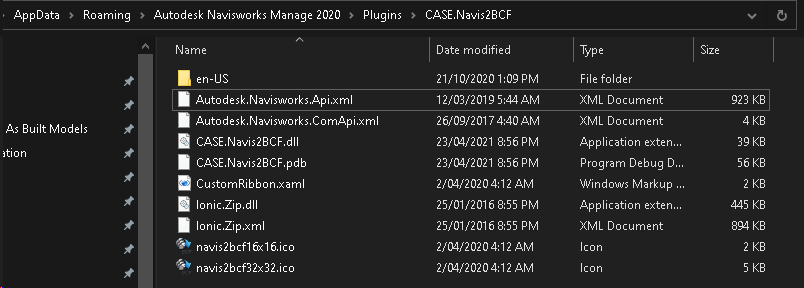
Copy CASE.Navis2BCF folder into:
%APPDATA%Autodesk Navisworks Manage 2021Plugins

Restart Navisworks

Open View - Windows and enable "Case BCF Exporter"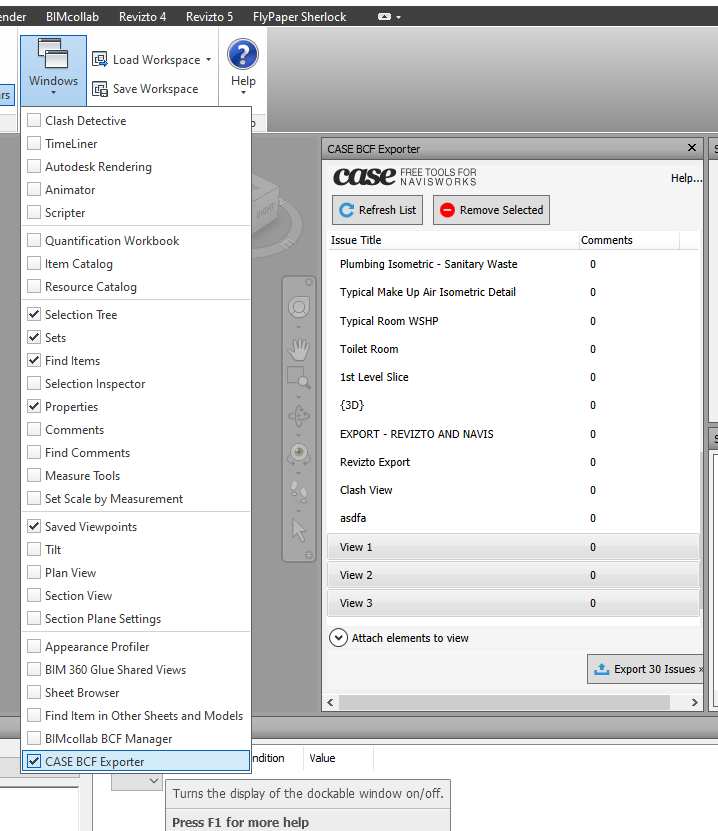
- Open your Navisworks model that includes Saved Viewpoints. Sometimes you may be sent a Viewpoint XML file and you need to import it to Navisworks.
- Now, with the BCF Exporter panel open, click “Refresh List”. You should see clearly the Viewpoints that you want to Export as BCF. You may need use Shift+select to select and Remove any Viewpoints from the BCF Exporter list that you DON’T want in the BCF.
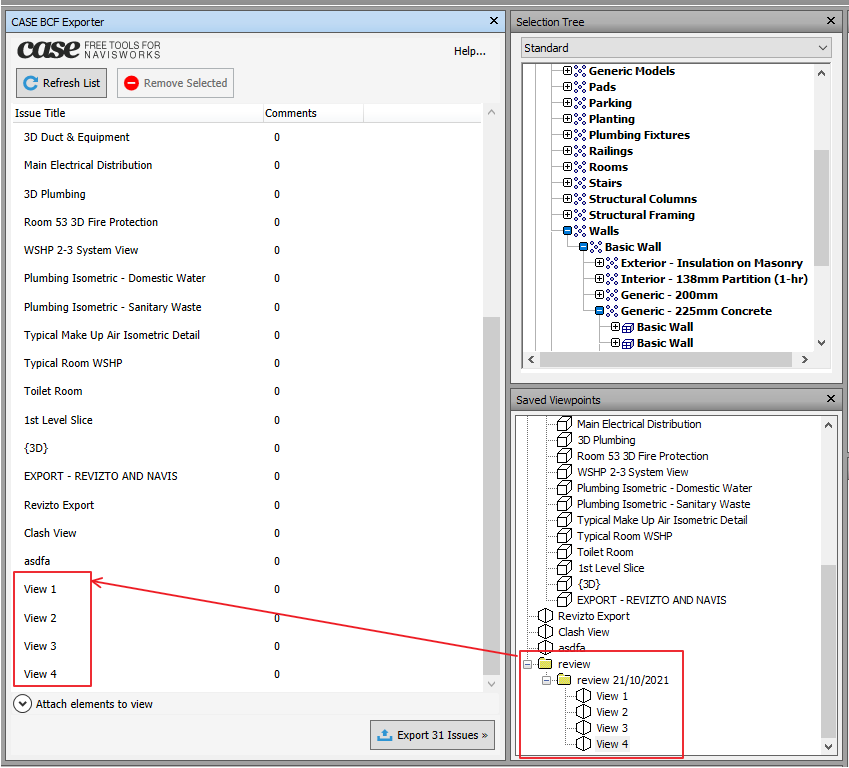
- With your shorter list showing, click Export Issues
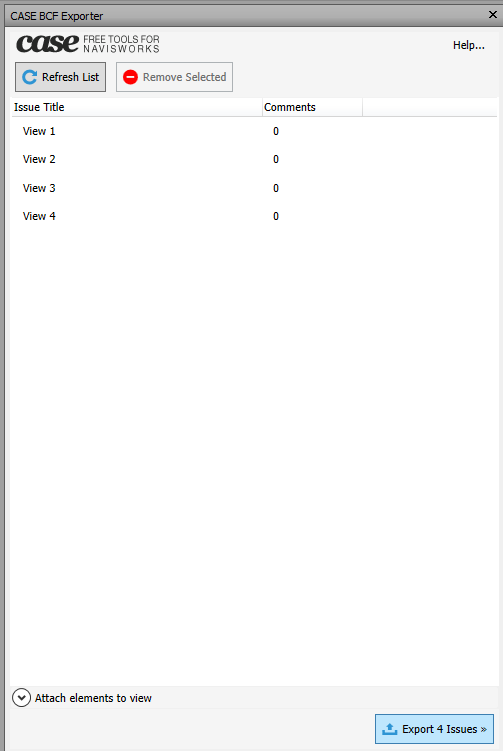
- Save the .bcfzip file when prompted. A descriptive name will be useful later, as the issues will be tagged with the filename.

- Open Revizto Viewer and open the Issue Tracker
- Click down arrow to Import issues from BCF
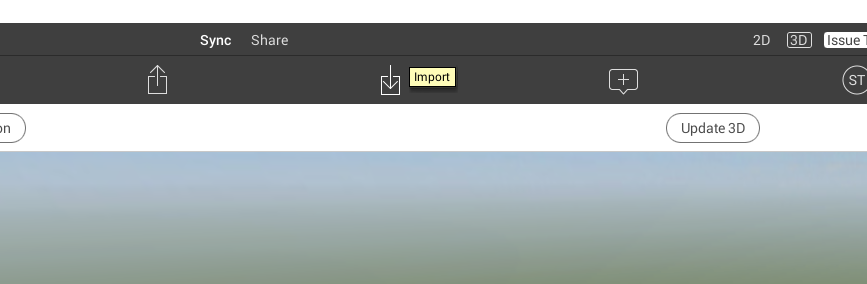
- Select the BCFzip file you saved, then click Open
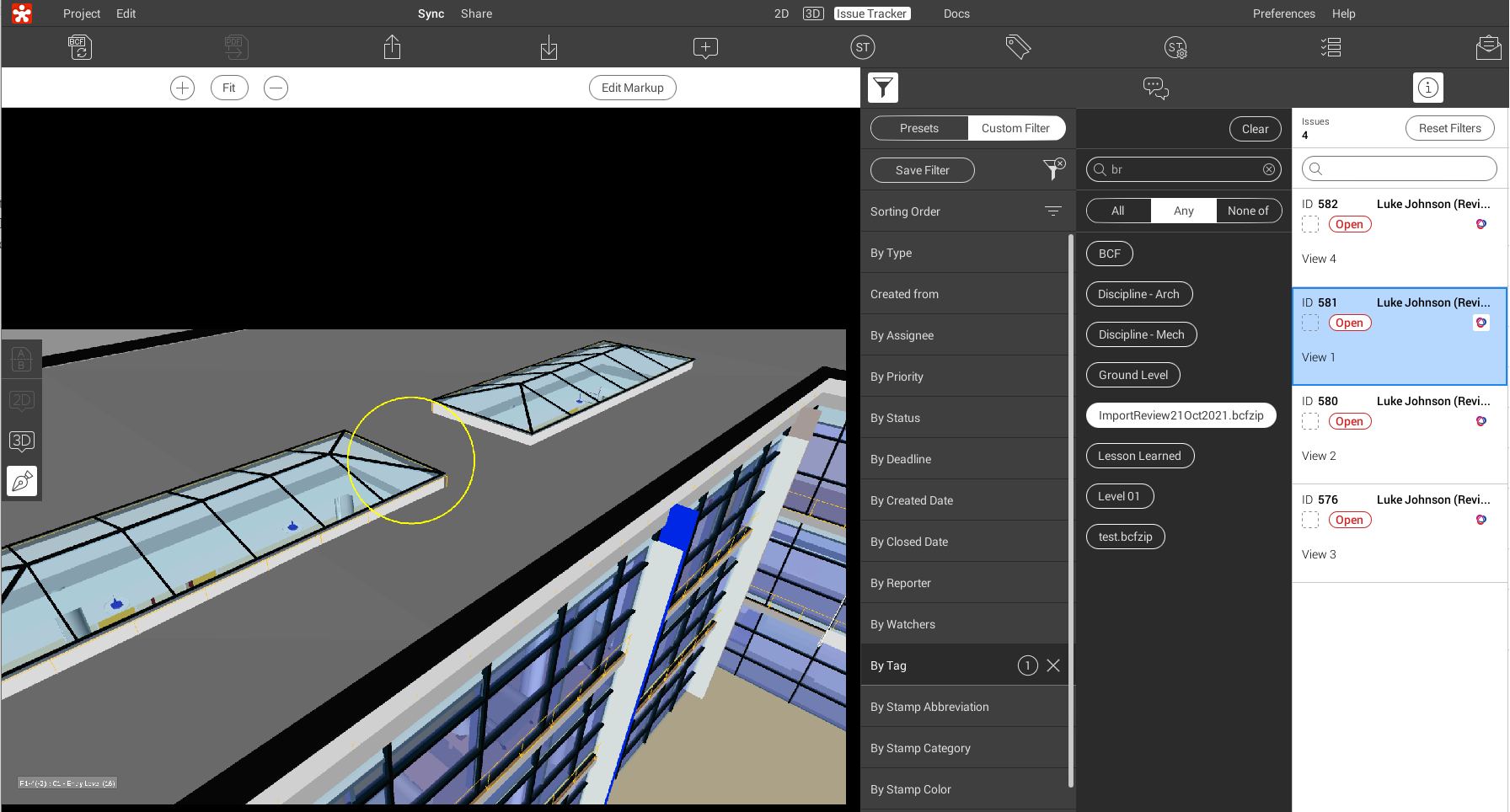
- Now, the issues (including Camera location and Markup image) are all imported to Revizto from Navisworks Saved Viewpoints!
- To quickly view these, open the Filters, Custom Filter, go to Tags, and choose the relevant BCF filename from here:
I would love to go ahead and build the plugin for Navisworks 2019 and 2020, so I will update the post here when that is done.
Hope this helps some of you to keep using Revizto to maximum efficiency, even if some people around you are still doing things ‘the old way’ 🙂
UPDATE:
I have now compiled for Navisworks 2020 and tested it.
Installation location looks like this:
Discussion
14 archived comments. New comments are not enabled.