Revit Addin Giveaway! dp Stuff Utilities and Randomizer updated for Revit 2015
dp Stuff have updated their very cool Revit addins to work with Revit 2015, and happily I have three prizes to giveaway:
- Free Revit Utils 2015 and Randomizer 2015 pack
- Half-price Revit Utils 2015 and Randomizer 2015 pack
- 25% off Revit Utils 2015 and Randomizer 2015 pack
To enter the competition, scroll down to the Comments on this post and write your response to this question (don’t worry if your entry doesn’t appear straight away, it will 🙂 …
How did you overcome it?
The deadline for this competition is Tuesday 10 March 2015. After this date, I will review the comments and then give the prizes to the entries that I think are the most original, thought-provoking, outside-of-the-box and interesting 🙂 Results will be announced in a comment on 11 March, and I will reply to the winners individually.
I have posted about Dima Chiriacov’s dp Stuff addins several times over the years, including this random tree generator post and this one about his Workset Explorer (which is now included in the “Revit Utils” pack).
Here are the links to the updated 2015 dp Stuff addins:
Revit Utils 2015
Randomizer 2015
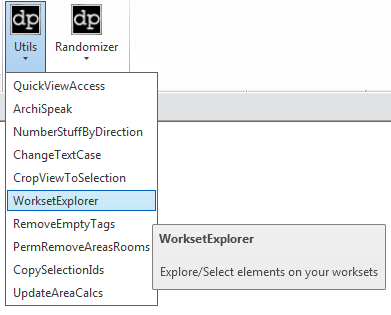
Dima’s post:
Revit 2015 Addins Update – Revit Utils 2015 – dp Stuff
It is very easy to buy from the site, just
- Add to Cart,
- Checkout,
- Apply any discount codes
- Fill out your details
- Accept the terms
- Proceed to download
Discussion
10 archived comments. New comments are not enabled.
Here is an example: "My firm struggled to work with consultant models. Then we discovered that the Discipline setting of the view helped with visibility, so now we can more easily coordinate with the linked in RVTs from other companies."
This morning I was working on a similar process to change all view underlays set to be set to "None". I just can't for the life of me work out how to set the parameter to "None" as revit won't accept a string, number, integer, code or any other information to set the parameter...
Some time ago i had a challenge of modelling something that would needed a non-consistent arc as baseline that also shifted in Z. Bit like a 1/4th helix but where the z increase is not consistent over the line.
I found out a trick to still be able to get this line into revit and use it as a base for a sweep or sweep-blend.
First get the line into a 3d DWG file.
Within you start out with a big model in place block and first make a void in top view. The edge of the void is the line in top view.
after that, you go to a front view where you look at the inner side or outer side of this arc shape and make another void where the outer edge of that void is this line again.
the result is that you end up with the model in place block where the edge in 3d is the exact line you needed. This then can be used as a edge for a sweep.
In a nutshell:
The problem we had was that we could not schedule our Bathroom Type groups as groups cannot be scheduled in Revit. We managed to overcome it by using a placeholder "System Furniture" family in the group and schedule that one in lieu of the whole group.
Same logic applies when it came to dealing with a dedicated interiors model.
As the rooms where part of the architectural model, we used 'Spaces' to schedule Kitchen & bathroom locations.
Please contact me via email, Google+, Twitter or LinkedIn to claim your prize.
Please contact me via email, Google+, Twitter or LinkedIn to claim your prize.
Please contact me via email, Google+, Twitter or LinkedIn to claim your prize.
1st - James Juarez
2nd - Unknown
3rd - Dante123
I have replied to your comments individually and will send you the prize details when I receive a message from you.