Quick way to extract images and media from DOCX XLSX PPTX (2007 and newer Office files)
- Change the file name extension to ZIP (filename.zip)
- Extract the contents
- The images will be under the ProgramIdentifierMedia folder. For example, if it was originally a Word document, it will be somewhere like
wordmediaimage1.emf
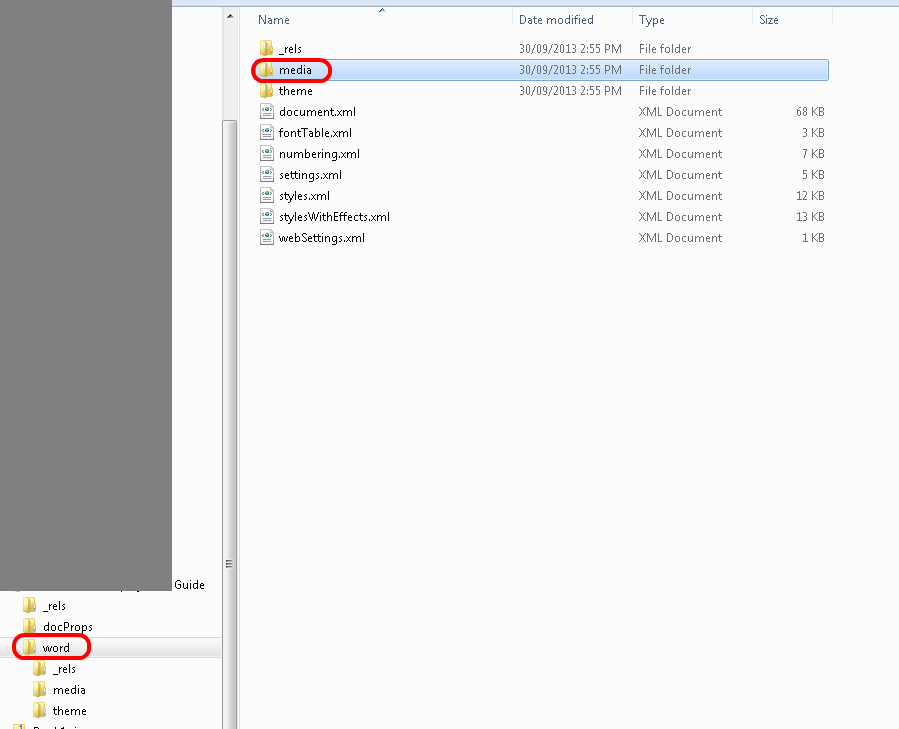
For Excel, it will be xlmedia and so forth…
Discussion
1 archived comments. New comments are not enabled.
If you have 7 zip installed you can just right click the docx, office, ppt, pptx, xlsx files and say extract here. This also works for adsk files.