Password Locking Worksets with a concealed username
Until Revit comes up with some kind of advanced and granular permissions management for workshared files, we are left with a situation that requires best-practice Revit use combined with 100% obedient staff. If you would like to take matters into your own hands in the meantime, you can use this somewhat scary hack to check out worksets using a concealed user name. As with many posts on What Revit Wants – use at your own risk!
In short:
- Copy the username into Microsoft Word and change it to a different font in this example the font called AIGDT. (which is just associate symbols to letters).
- Copy the username (AIGDT font) back into Revit and as you can see Revit just shows it as bullets.
- Worksets checked out to that user will appear to others like this:
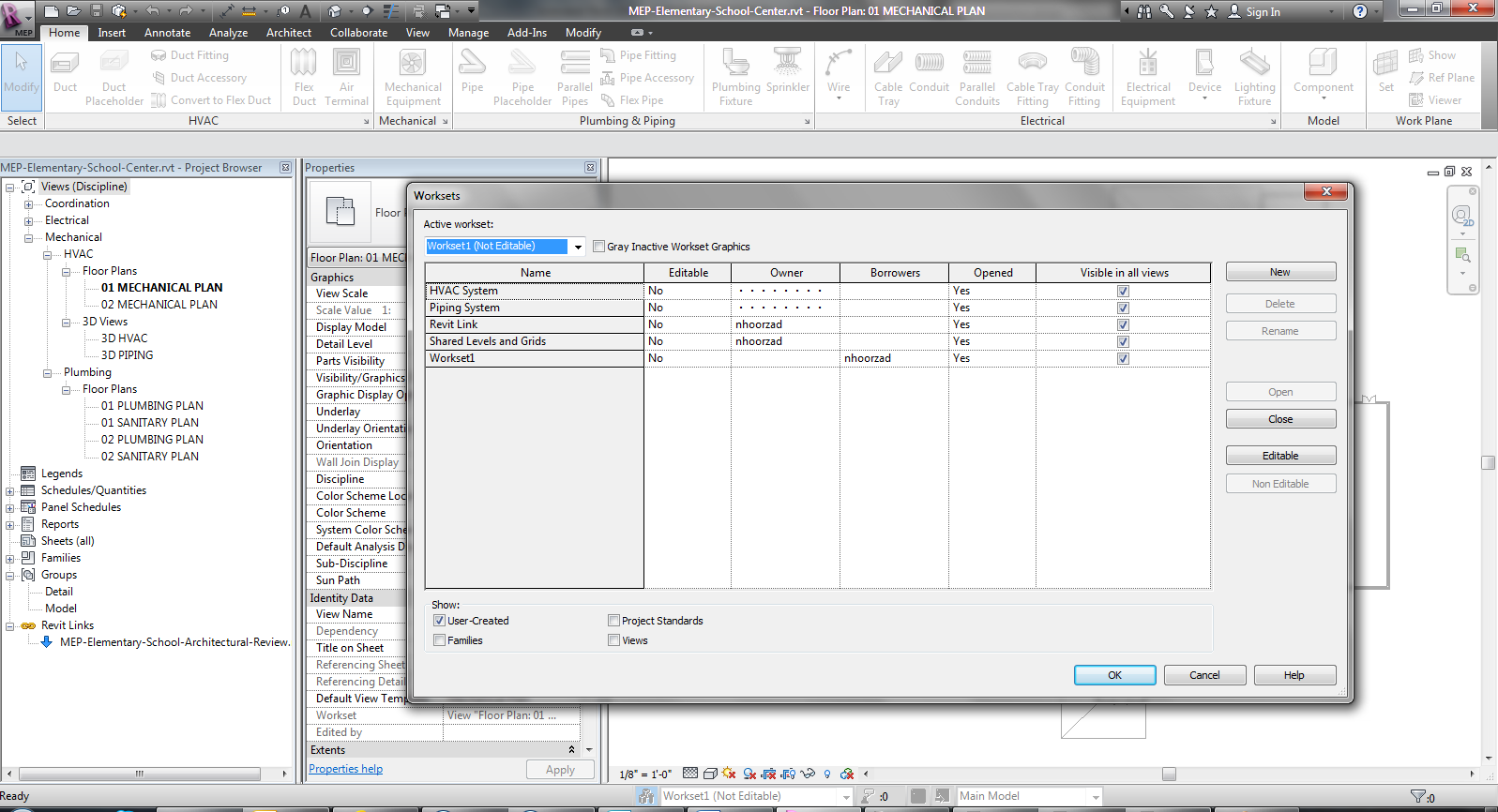
Image and idea by Navid at:
Locking WorkSet with a hidden user name!
Discussion
5 archived comments. New comments are not enabled.
1. Copy/past the hidden word (bullets) back into MS Word.
2. At first all you will see is the bullets.
3. Highlight the bullets and go through the font list in MS Word. You will eventually come across a font that can translate it back into text. The font varies based on the original font that was used to create the Hidden word.
Enjoy,
Navid.
1. Copy/past the hidden word (bullets) back into MS Word.
2. At first all you will see is the bullets.
3. Highlight the bullets and go through the font list in MS Word. You will eventually come across a font that can translate it back into text. The font varies based on the original font that was used to create the Hidden word.
Enjoy,
Navid.