What Revit WantsA Black Grid publication
From the archive

Making a Seamless Sphere in Revit
· Luke Johnson

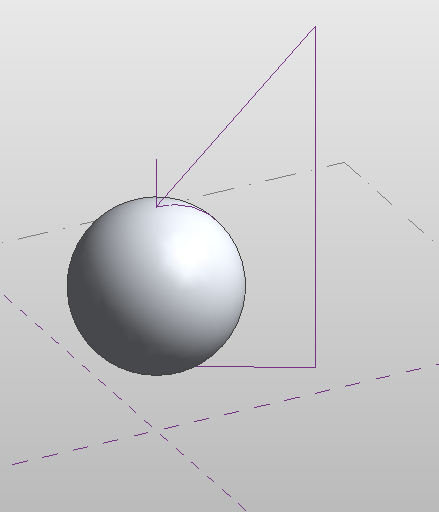
  1. Make a rectangular extrusion form
  2. Make a revolve form using funny looking profile shown above – switch to void
  3. Cut geometry, and then adjust grips as necessary to make it look nice

Download the file 

(dissolve it if you want to see how it works)

In response to:

Oh, why is it impossible to make seamless spheres in the #Revit conceptual massing environment? Why?! Time for beer.
— Sean David Burke (@seandburke) February 23, 2013

Discussion

3 archived comments. New comments are not enabled.

Power Cords
Amazing. I have downloaded and will try myself to create it same like this or to make changes to make it perfect..
Barrie Sharp
The issue seems to come when you want to apply a divided surface to it. It doesn't seem as if using voids to carve up shapes works for curtain paterns :(
seandburke
The form is brilliant. Old school modeling! Build more and take away what you don't need. The curtain pattern issue really chaps my hide. TG for the 2013 repeat tool.