How to Change The Size of Point Cloud Points in Navisworks
Navisworks works really well with Point Clouds, particularly in association with Recap. It will usually create ‘voxels’ – groups of points that you can hide or change colour or use in other Navisworks workflows.
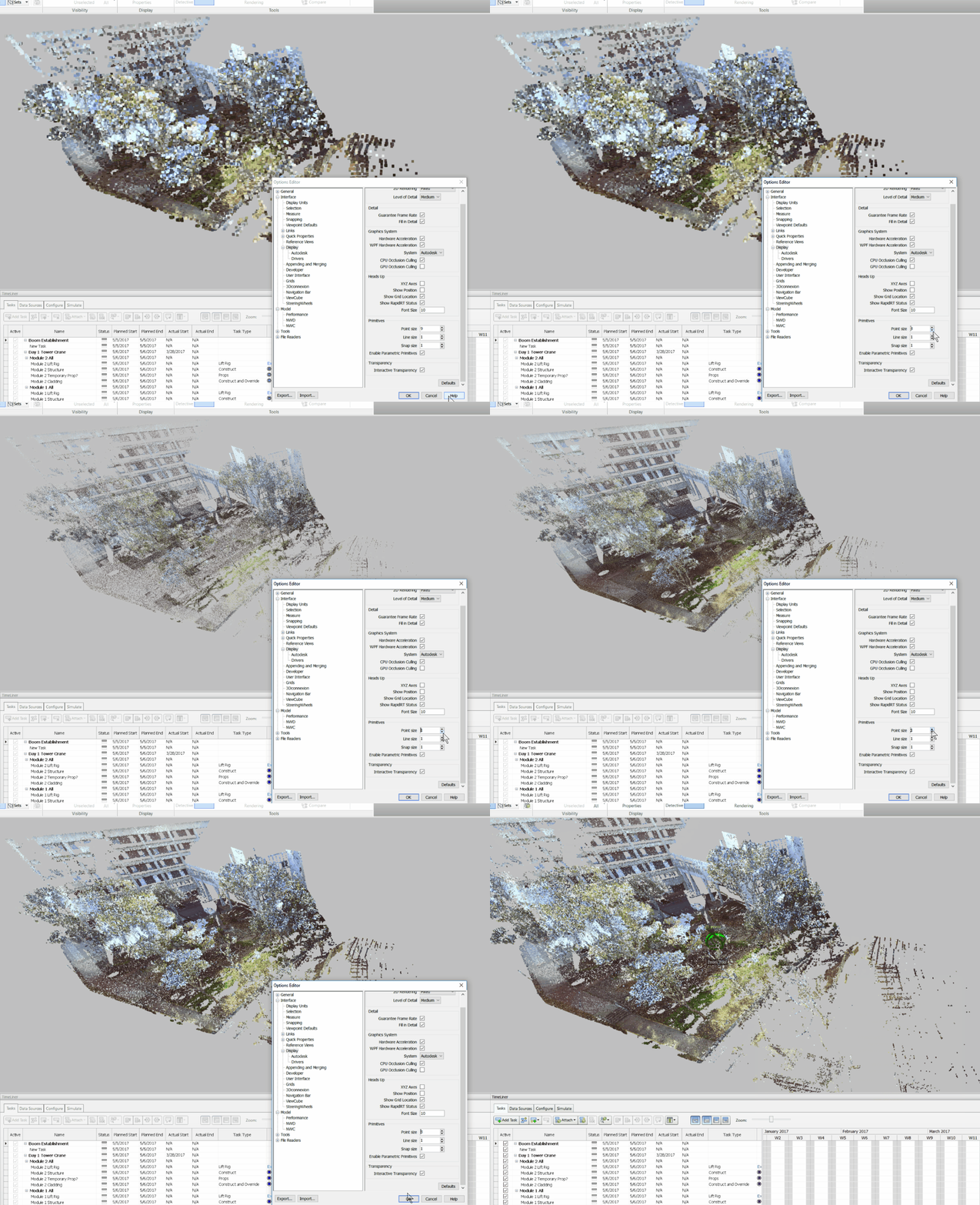
However, sometimes the ‘point size’ seems too fine. To modify this, just open up Navisworks Options to Interface – Display, and change the Primitive size for Points to something that looks better. You can choose any size from 1-9.
Also, there are additional settings under File Readers – ReCap:
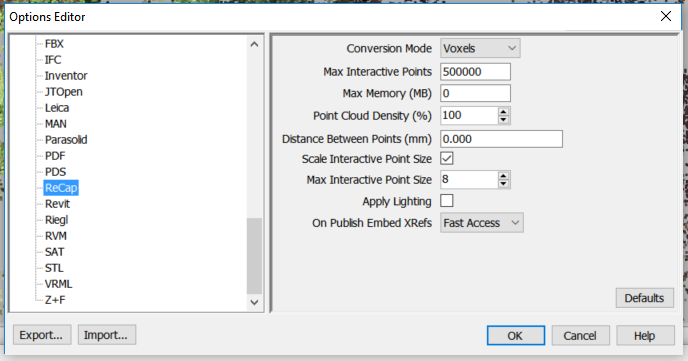
You can set an ‘interactive point size’ here, which is going to override the point display when you are zooming around or navigating the model.
Discussion
1 archived comments. New comments are not enabled.