What Revit WantsA Black Grid publication
From the archive

Batch Convert DWF to PDF with Revizto

· Luke Johnson

Do you ever have a set of DWF or DWFx files you would like to batch convert to PDF?

It is super easy with Revizto:

  1. Open a Revizto project
  2. Go to 2D space
  3. Click Import (down arrow), then Select all of your DWF files
  4. Once imported, click the Export to PDF button while viewing the sheet list
  5. Select multiple sheets to Export and click Ok
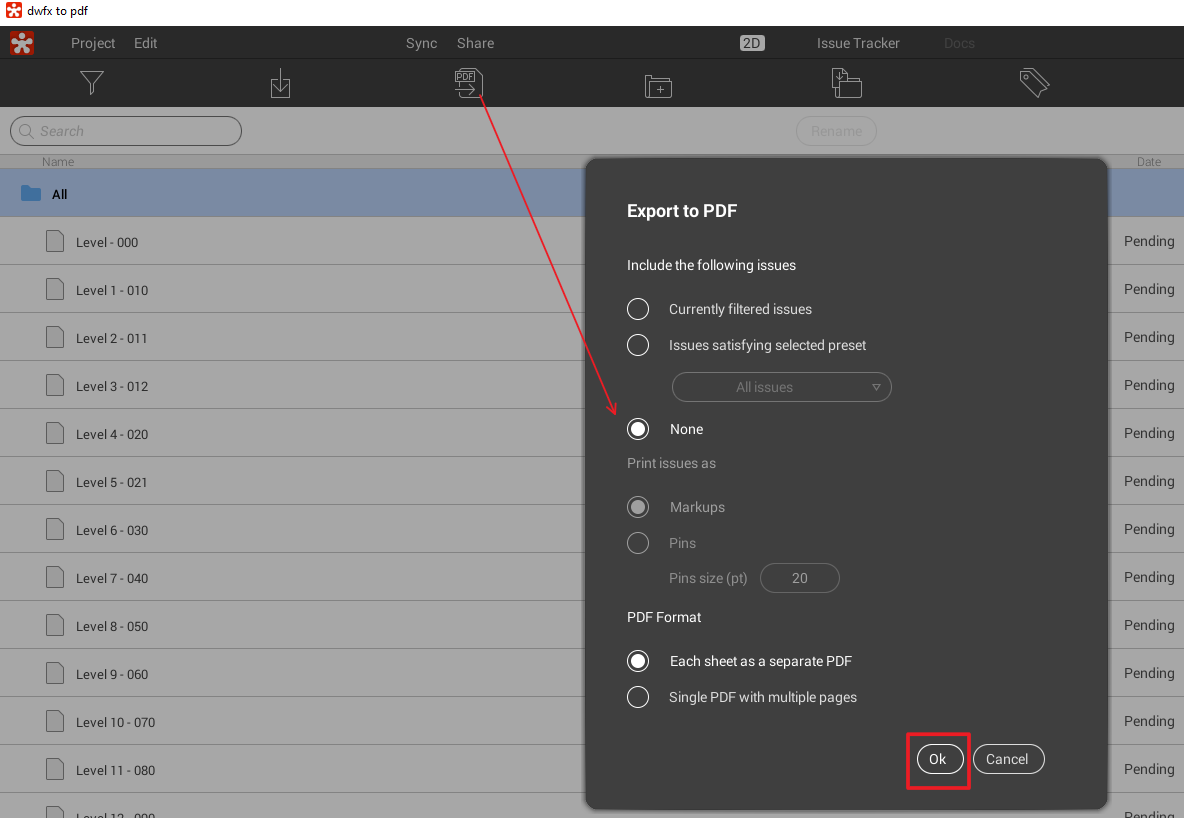
click None and then OK in Revizto when exporting to PDF

Done!

Discussion

1 archived comments. New comments are not enabled.

Luke Johnson
I received these nice comments via email: "Just wanted to say thank you very much for the great article that you have written... I didn’t know that Revizto could convert and export DWF drawings until I read this. This has proved to be very successful and is going to shave heaps of time off of my prints. I created a separate Revizto project just for the purpose of converting drawings. ... thank you very much. This will save my team hundreds of hours of the course of a year."