Add New Materials to Revit using an Excel file: including Cut and Fill Patterns, Transparency and RGB Values
Jeremy Tammik has done all the heavy lifting on this one, but here is how you can get up and running with it quickly:
- Download this
(or you can also go here https://github.com/jeremytammik/AddMaterials, Download ZIP, Extract and Open in Compiler, Build Solution etc) - Put the addin and dll here “C:ProgramDataAutodeskRevitAddins2014”
- Put the XLSX here “C:RevitAPIMaterialList.xlsx”
- Open Revit 2014
- Open the sample Revit file from the zip you downloaded in Step 1
- Go to External Tools – AddMaterials
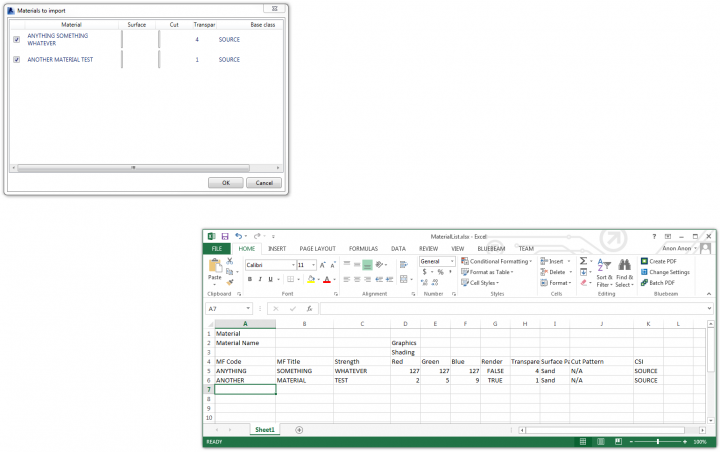
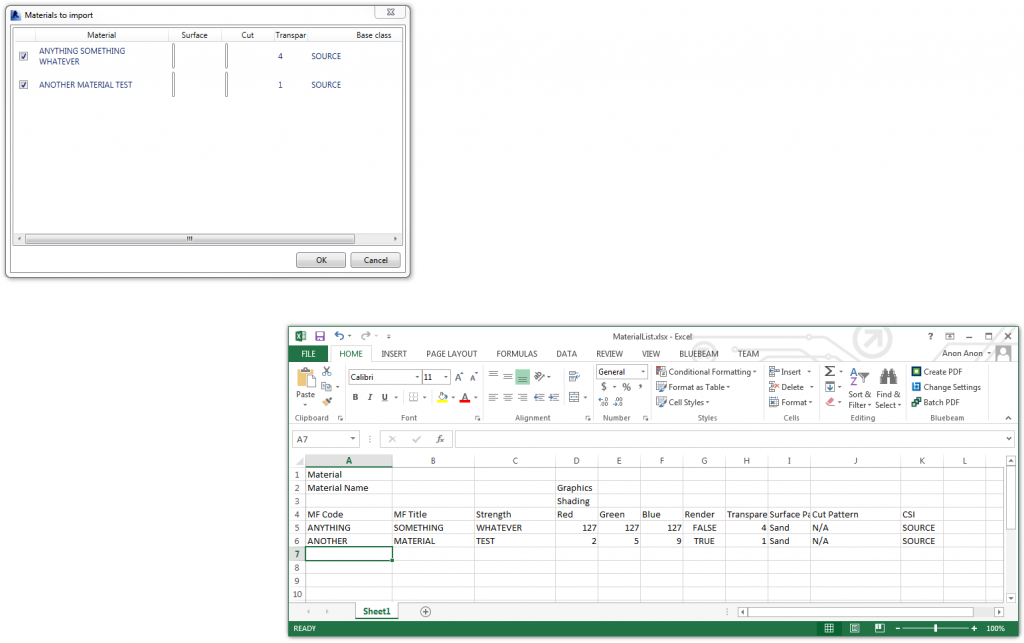
You should see something like this:
A couple of things to keep in mind:
- the addin will copy an existing material from the CSI column as the ‘base’ material, and then modify the other values accordingly. Therefore, there must be a source material in place.
- Similarly, the Revit project file will need Surface and Cut patterns with the appropriate matching names already in the file prior to running the addin. The addin won’t import new Cut / Fill patterns into the project for you.
Recent post by Jeremy about this addin:
The Building Coder: Adding New Materials from List Enhancements
Other posts:
http://thebuildingcoder.typepad.com/blog/2014/03/adding-new-materials-from-list-updated.html
http://thebuildingcoder.typepad.com/blog/2014/03/adding-new-materials-from-list-updated-again.html
http://thebuildingcoder.typepad.com/blog/2014/04/wpf-fill-pattern-viewer-control.html
http://thebuildingcoder.typepad.com/blog/2014/04/getting-serious-adding-new-materials-from-list.html
Discussion
0 archived comments. New comments are not enabled.