You want to know if a dwg file was created in Revit
You want to know if a DWG file was created in Revit.
1. Open the DWG file in AutoCAD.
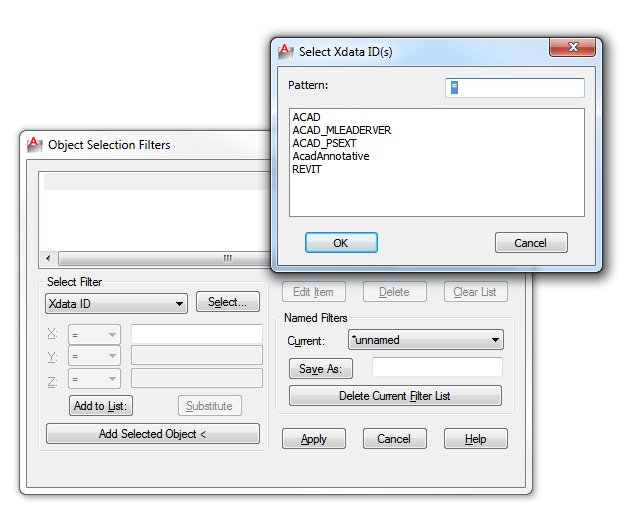
2. Enter Filter on the command line.
3. Select XDATA ID from the Filter drop-down list.
4. Click Select.
5. In XDATA ID list, look for an entry for Revit. If such an entry
exists, then the file was created in Revit
via
March08_Tips_and_Tricks.pdf (application/pdf Object)
Discussion
0 archived comments. New comments are not enabled.