Worksharing Monitor – Free System Performance Utility
First off, if you are working with Central/Local Files and Worksharing, then I encourage you to head over to Autodesk Subscription, login and get the Worksharing Monitor.
Then, open Revit. Go to the ‘Add-Ins’ tab on the Ribbon, and under the ‘External Tools’ you will find the Worksharing Monitor.
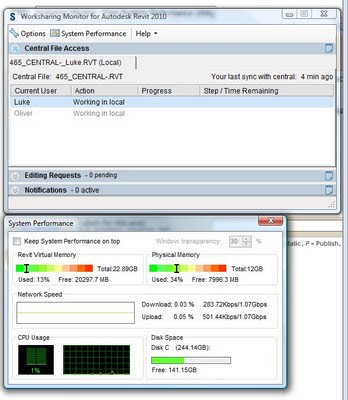
Once you go into the Worksharing Monitor, click the ‘System Performance’ button and a handy little utility will pop up. Enjoy!
Discussion
2 archived comments. New comments are not enabled.