Using Advanced Renamer to create sequential numbered filenames
- Download and install Advanced Renamer
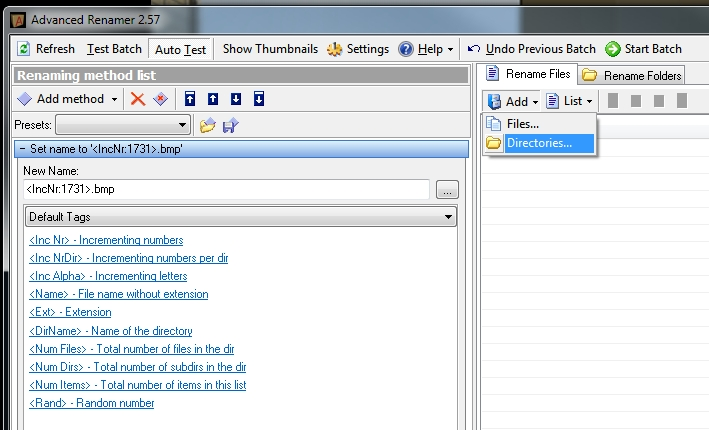
- Open Advanced Renamer. Add – Directory and choose the folder that contains the sequential set of files.
- Add method. Choose ‘New Name’ from the dropdown list.
- In the entry box, use a name like the following:
.bmp - This will create 4 digit sequential filenames ending in BMP. The first file name will be 1731.bmp
- Click ‘Start Batch’ (you can use ‘Test Batch’ if you want to check the results of the rename process first).
These sequential bitmaps can then be joined into a AVI file. Refer to the main post entitled Distributed Parallel Rendering in Revit.
Discussion
0 archived comments. New comments are not enabled.