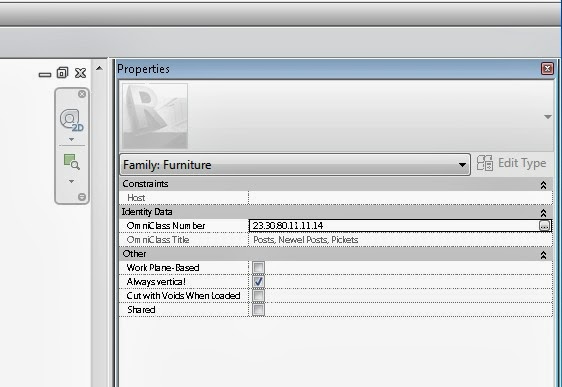
Use Ctrl + scroll wheel in various Revit dialogs to Zoom in and out
Just hold down Ctrl button while scrolling with mouse wheel… I have tested this (non exhaustively) on Revit 2013 and Windows 7, and it works fine on the following dialogs:
- the Properties Palette (wow!)
- the data section of the Type Properties (Edit Type) dialog
- Family Types
- the Family Parameters part (lower section) of the Family Category and Parameters dialog
- IFC Export and Import Options dialogs
- Fill Patterns settings
- Sheet Issues/Revisions
Thanks to this tweet for the heads-up:
@paulfaubin discovering #revit tricks! Ctrl+scroll on family type window to zoom in and out.
— Matias Cena (@onbeesknees) September 18, 2013
Discussion
2 archived comments. New comments are not enabled.
This is a nice feature, particularly for presentations where the projector screen size is sometimes limited.
Too bad it doesn't work in more dialog boxes -- it isn't working for me some very frequent windows like Project Browser, Visibility/Graphics, Schedules, Schedule Properties, etc.
(I'm testing it in Revit 2014)