Smoother multitasking while Rendering in Revit
Revit 2011 (Mental Ray) utilises all available CPU cores that the OS can ‘see.’ When multitasking, your PC may slow to a crawl after a render begins. You can limit the amount of CPU time that the Render process sees by either:
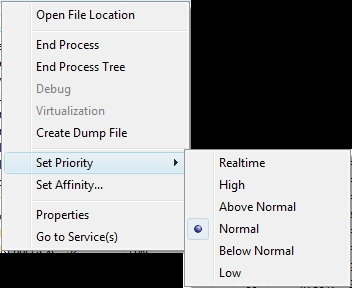
- Adjusting the ‘Affinity’ to limit the amount of cores the render process can access (using Task Manager).
- Adjusting the ‘Priority’ to Low to allow other processes to have more overall CPU time.
Simply open Task Manager (Ctrl+Shift+Esc) and then right-click on the render process (fbxooprender2.exe). You can now adjust the Affinity and Priority.
Video below:
Discussion
2 archived comments. New comments are not enabled.