SelFilter, a Powerful Selection Filter Utility (External Command for Revit)
When building Revit addins, you may want to implement some specific selection filter. Here is some more good stuff via Alexander Buschmann and The Building Coder:
The zip file SelFilters.zip contains
- the SelFilter class,
- the interface files, an
- example external command
using some of the SelFilter functionality, an - add-in manifest file for
the example command and a - small Revit project to test it in.
Source:
The Building Coder: SelFilter, a Powerful Generic Selection Filter Utility
To try it out:
- In Visual Studio (I use Express 2013 for Windows Desktop), make a new Class Library Project
- File – Save project as – RevitSelectionFilters.csproj
- Add RevitAPI.dll and RevitAPIUI.dll references (2014)
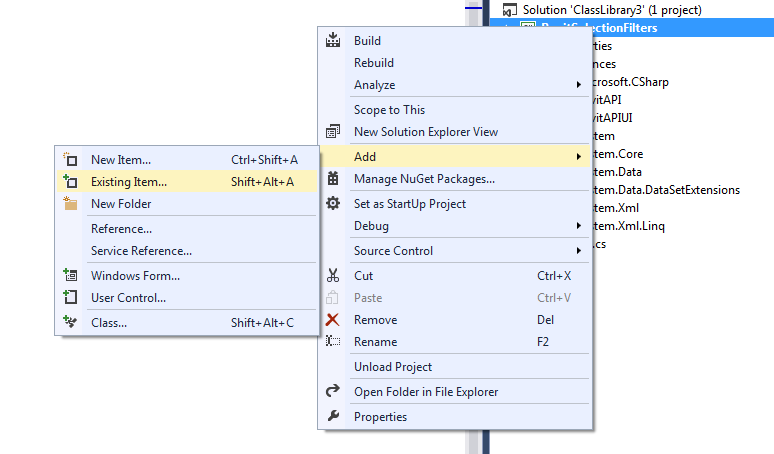
- Add – Existing Items. Choose all the .cs files from the zip
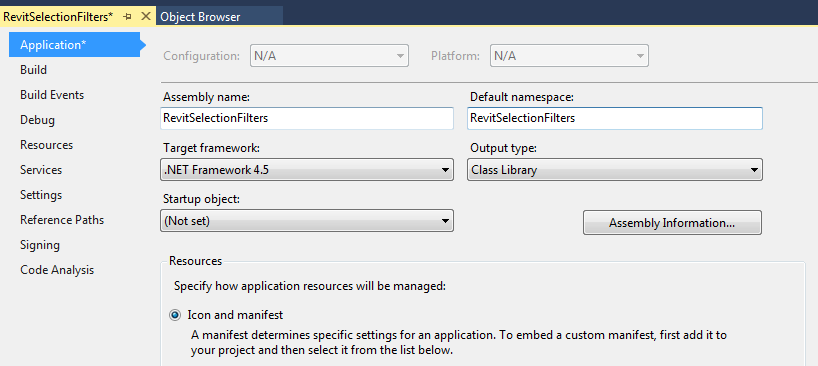
- Set project properties Assembly Name and Default namespace to RevitSelectionFilters
- Save All
- Build Solution
- Copy
SelectionTest.addin and RevitSelectionFilters.dll
to C:ProgramDataAutodeskRevitAddins2014
Related screenshots:
And screencast showing the examples:
Open embedded content: screencast.autodesk.com
Good intro to Revit customization:
http://help.autodesk.com.s3.amazonaws.com/sfdcarticles/kA230000000tiXXCAY/handout_2116_CM2116.pdf
From the help:
Help: External Commands
Setting up an External Command in Revit 2015:
EXTERNAL COMMAND IN 10 STEPS FOR REVIT 2015 API
Discussion
0 archived comments. New comments are not enabled.