Quickly review Error Report by parsing Element ID in spreadsheet
I find the Error Report – Warning – Select by ID process to be a little unwieldy in Revit (at the moment).
Here is a little process that may speed things up for you when reviewing a Error Report in Revit.
- Save Error Report to HTML
- Open HTML Error Report
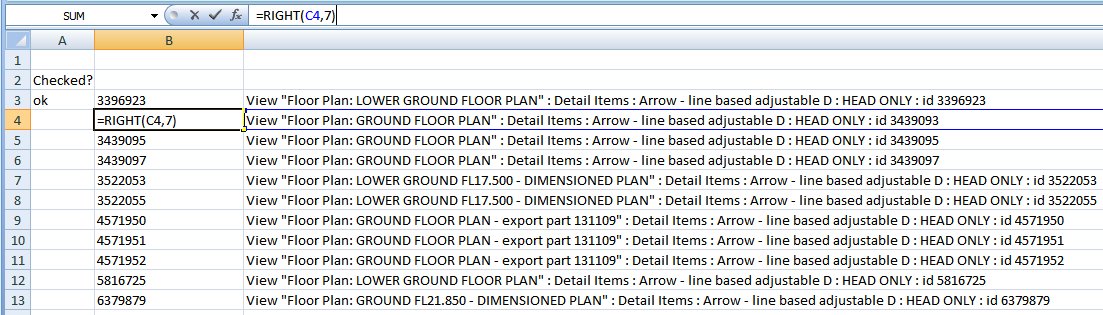
- Copy data to Excel spreadsheet.
- Use RIGHT formula to extract only the id number to a new column.
eg =RIGHT(C3,7) - Copy the cell containing the id number to the ‘Select Elements by ID’ dialog in Revit.
Discussion
1 archived comments. New comments are not enabled.