Piping for Revit MEP Dummies (like Me)
- Add two components with similar system connections (like Hydronic Supply)
- Select one of the components, and click the Piping button
- Ok to dialog, Edit System, use Add to add the other component. Finish.
- Select one of the components, use the Generate Layout tool. Click Edit Layout if you want to drag the lines around.
- Start adjust heights and paths of piping.
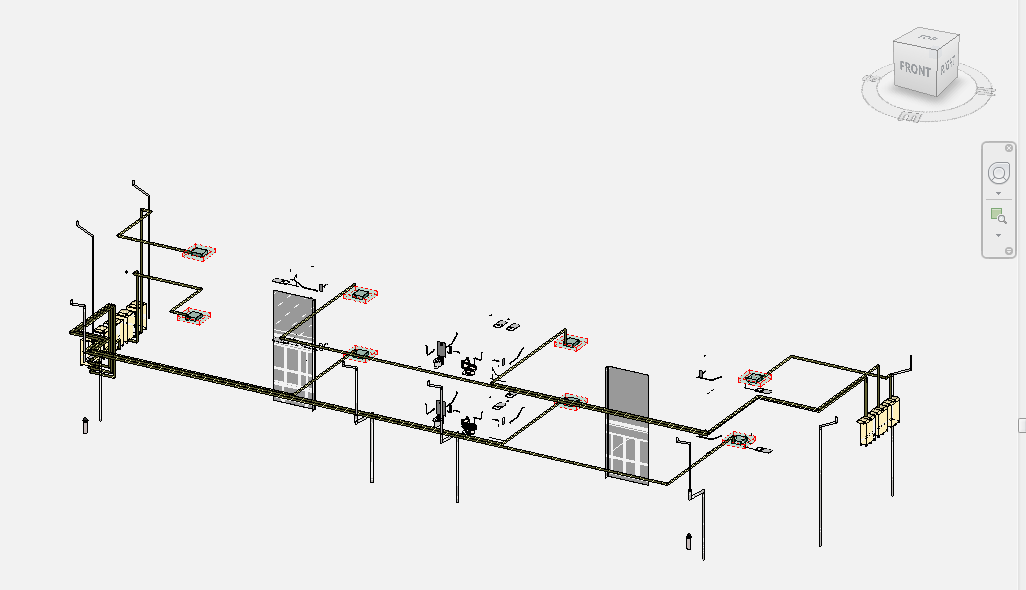
Don’t forget, you can set the View Discipline to Mechanical to get some in-built filtering to show something like this:
Quick video from Wikihelp:
(embedded JWPlayer)
Read more at:
Pipe – WikiHelp
Discussion
0 archived comments. New comments are not enabled.