How to Save all 3ds Max resources (images, FBX links etc) for a given file
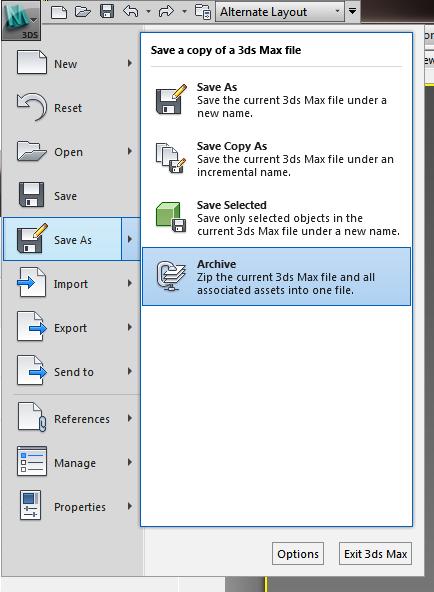
- File – Save As – Archive
- This will make ZIP with all the resources.
- If you want to view them all in one folder, use 7-Zip, Extract Files… with no pathnames (this will put all the files in one folder)
If you have exported a file from Revit to 3ds Max Design (perhaps using Suite Workflows), this is a good way to capture all the texture and material resources that are needed and put them in one easy-to-use location.
This may allow you to export more easily to other formats and use the associated bitmaps in those other formats (like OBJ or similar).
Discussion
1 archived comments. New comments are not enabled.