How to determine if a Family is In-Place or not
Here is an easy way:
- Install Case Add-in Manager
- Using the Add-in Manager, install Batch Export Family RFA’s tool (I am running v2012.11.13.0)
- Open a Revit project and run the tool
- After families have been exported, you will be presented with an error message that tells you which families are in-place (see below).
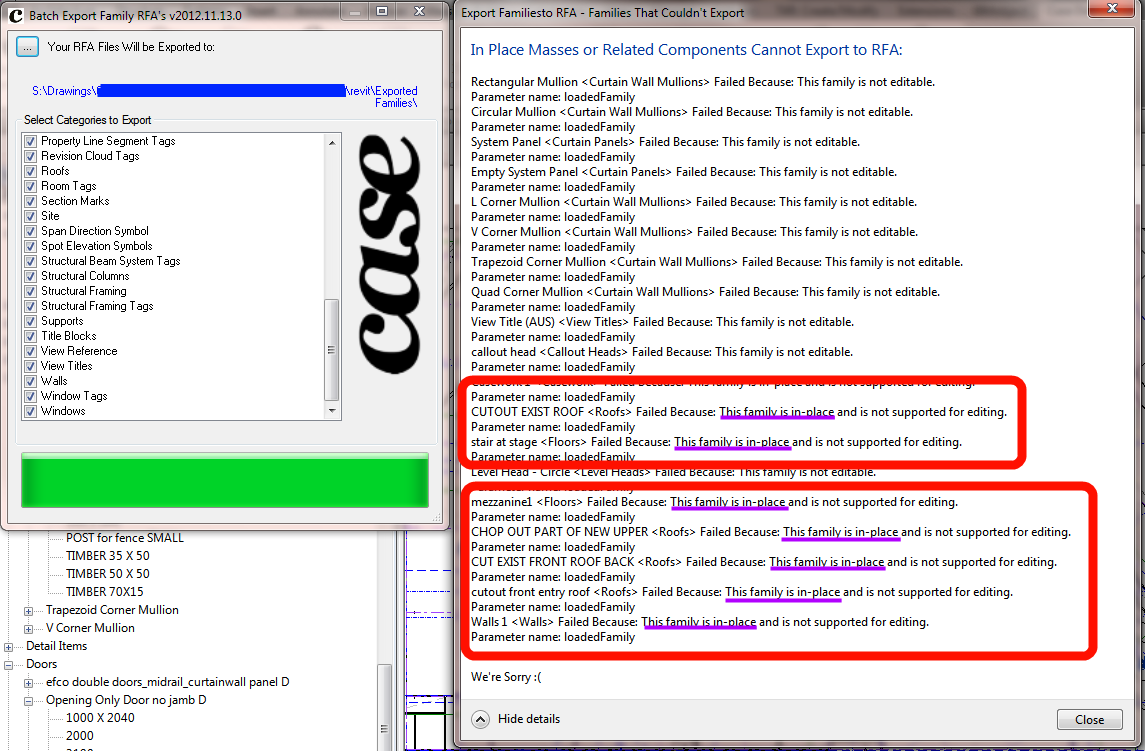
NOTE: The Case exporter also creates folders for each Category as it exports. Nice.
This was in response to:
@lukeyjohnson Meaning… do some kind of filter to determine which familes are in-place vs not
— Jason Rostar (@jrostar) December 6, 2012
Discussion
0 archived comments. New comments are not enabled.