Fighting Spam on Exchange Server 2003
We run a Small Business Server box and it primarily provides our email via Exchange Server 2003.
Recently, our ISP indicated that our server was relaying or forwarding spam messages. I have tried a number of different things to correct this, and I would like to share a few of the steps of I have taken.
- Ensure that Exchange SMTP is not acting as an open relay. You can run a test at http://www.spamhelp.org/shopenrelay/
- Use SMTP Authentication (if you are forwarding mail through an SMTP smart host).
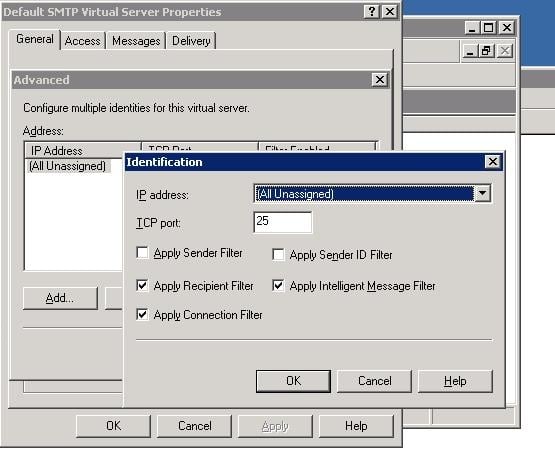
- Enable Recipient Filtering on the SMTP Virtual Server. Link here. KB Article here.
- Enable SMTP Tarpit Time. Link here.
- Enable Connection Filtering on the SMTP Virtual Server. You might use something like the Spamhaus ZEN list to start with.
- Enable Message Logging (so that you can get an idea of where spam is coming from).
- Disable Non Delivery Reports (NDRs). How to here.
- Don’t allow anonymous access to your Default SMTP Server.
- Run trojan/virus scans on your server and on your Client PCs (including remote Clients).
- Install and run the Exchange Best Practices Analyzer.
On a slightly unrelated note, some nefarious characters kept trying to login to our server via Remote Desktop. I have defended against these attacks by using a program called 2x SecureRDP. This ‘filters’ incoming RDP connections and stops repetitive RDP attacks before they occure.
I hope some of this information has been useful to you.
Discussion
4 archived comments. New comments are not enabled.
i still wonder why exchange is used and also how many badly configured exchange servers there are bombarding my smtp. does exchange come with such idiotic default settings that it allows anonymous open relaying?
i found some question answers on server 2003
http://winservers.co.in/category/interview-question/