Drag and Drop Creation of RPC Content for Revit
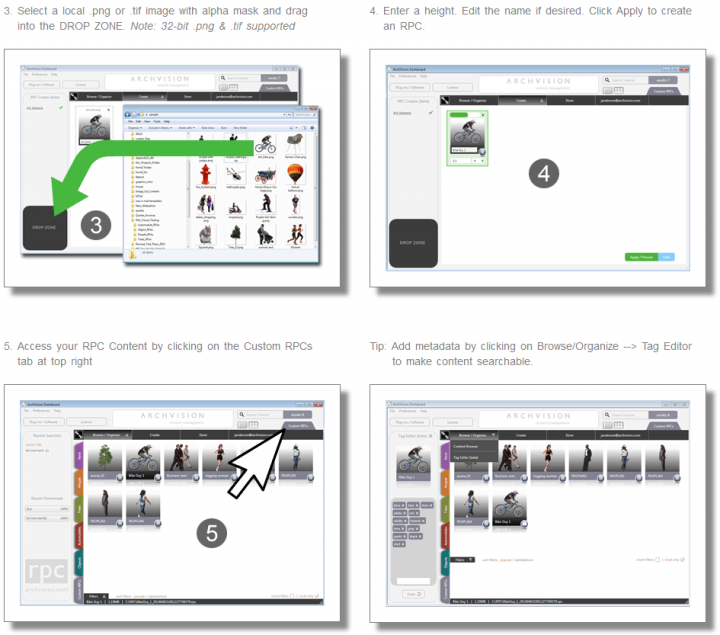
I have posted about RPC Creator many times before… but now, Archvision is offering a new feature based on Archvision Dashboard. It basically allows you to drag and drop an image to create RPC content for Revit.
Download the beta version at:
http://updates.archvision.com/projects/2E4C5DB8-2FD8-4639-84EA-83CEAA227057/versions/latest/32/download
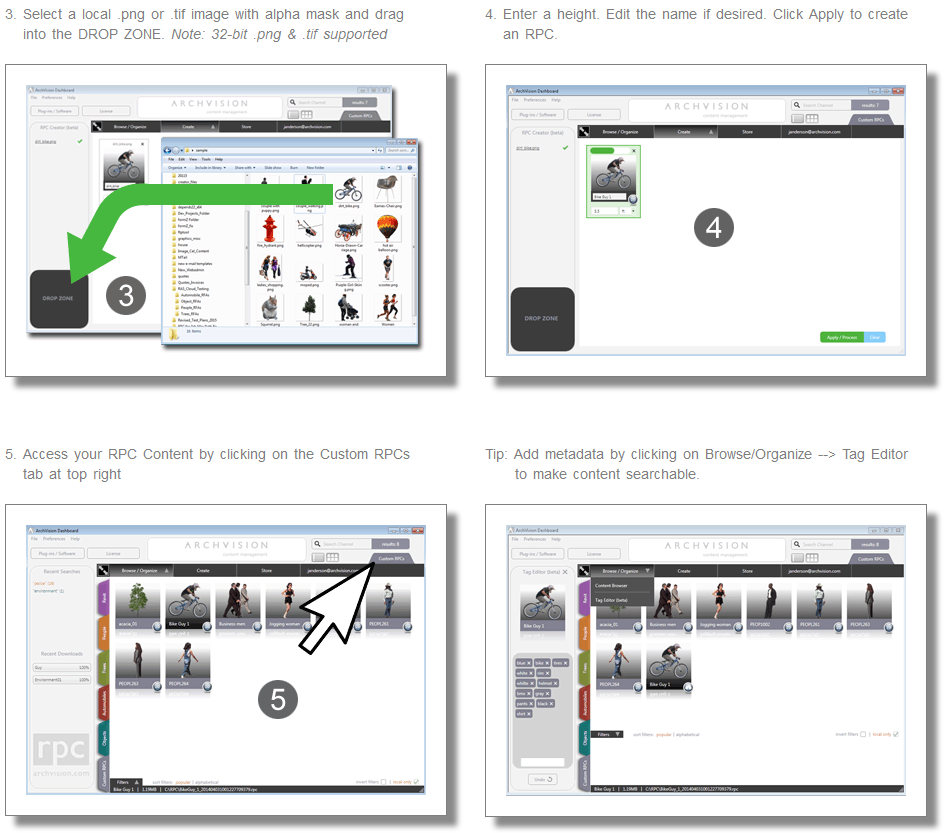
RPC Plugin downloads:
RPC Plug-in for Autodesk Revit 2015 64-bit (version 1.2.2.0)
RPC Plug-in for Autodesk Revit 2014 32-bit (version 1.2.2.0)
RPC Plug-in for Autodesk Revit 2014 64-bit (version 1.2.2.0)
RPC Plug-in for Autodesk Revit 2013 32-bit (version 1.2.2.0)
RPC Plug-in for Autodesk Revit 2013 64-bit (version 1.2.2.0)
Steps on how to use it at:
ArchVision.com
Discussion
2 archived comments. New comments are not enabled.
Access information and the installer: http://www.archvision.com/dashboard/rpccreator
If you'd like to set up a desktop meeting to learn more please email us at support@archvision.com