Delete All Revision Schedule Rows in Revit in 20 Seconds
Update
Method 1: after seeing my post, Troy Wright kindly shared his take on this. It uses only one custom node – Eraser by Julien – and it also works for Revisions that have been ‘ticked’ as issued, so this is probably the more powerful method.
Here is a download link to his DYN. Thanks Troy!
I will also add his email as a comment to this post.
Method 2
Steps:
- Install Dynamo
- Install Bakery package
- Open a Revit project where you want to delete Revision Schedule rows
- Open this definition
- Run it
- Close Dynamo window
- Manage – Select by ID
- Paste
- Delete
- Done!
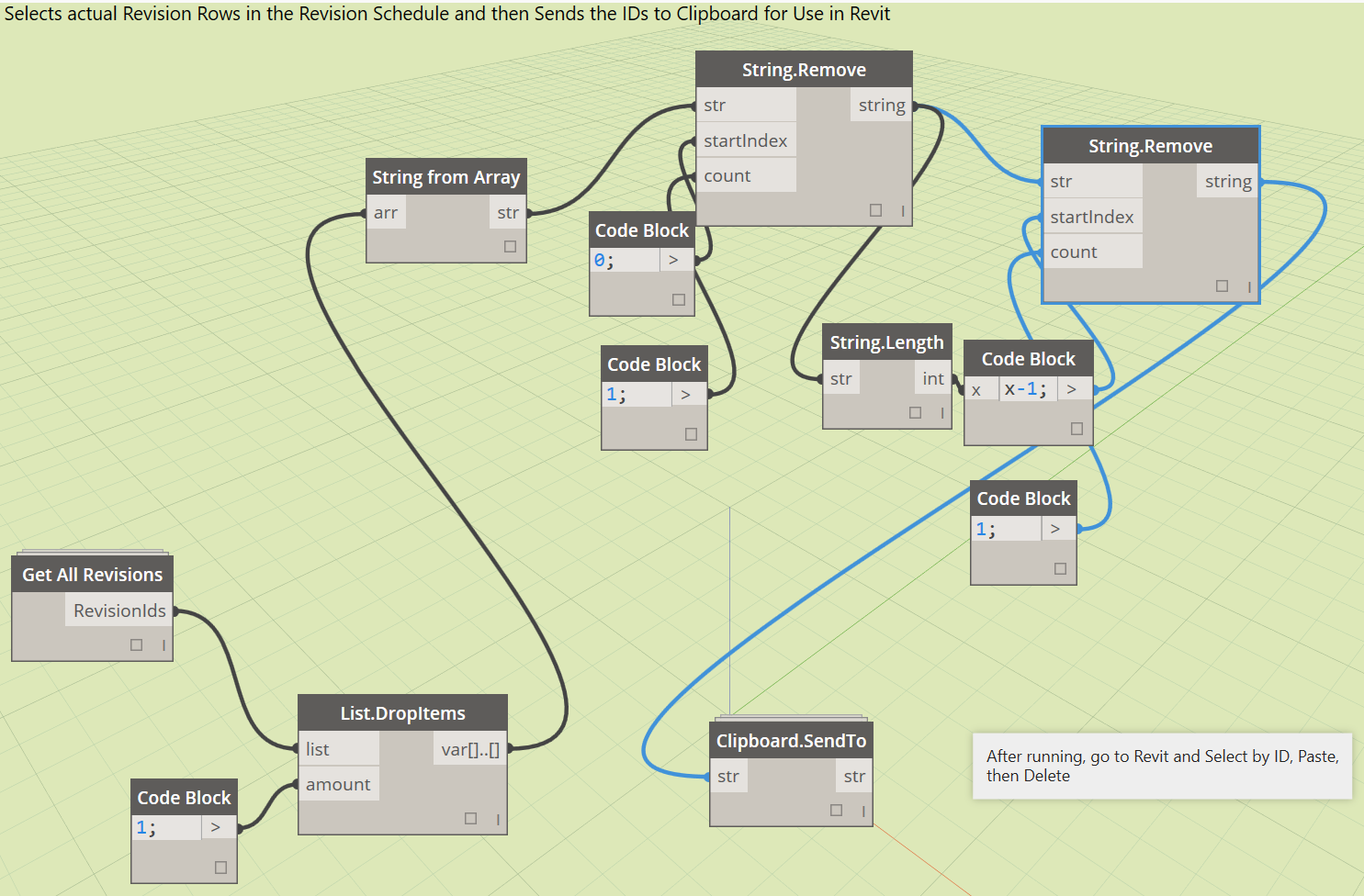
As always in Revit, it leaves behind the first row in the Revision Schedule… However, this method is more robust than deleting Revision Clouds as it also removes items appearing based on the “Revisions on Sheet” schedule. It is also much faster than laboriously using the Merge Up command one by one in the Revision Schedule.
As always, use with care 🙂
Video:
Discussion
1 archived comments. New comments are not enabled.
You might need the custom node Eraser from the package manager.
I used the Eraser tool and a giant list.create to make a tool that deletes everything unwanted from incoming models (ie, sheets, views, tags, schedules, lines, etc) but I'm still testing it. Essentially the code is the same as the attached one.
As usual use this how you wish and post if you like.
Regards,
Troy