Create a Component Family with Category set to Walls (or other system family category)
Have you ever wanted to make a Component Family with the Category set to Walls? Or Roofs? Or some other system Category? There are no templates for this, and it doesn’t show up in the Family Category dialog box, so you may think that you limited to using In-Place families when you want the category to be Walls, Roofs or similar.
Think again.
An interesting offshoot of the method that I described at this link is that when you save the In-Place family as an RFA, it adopts the Category that it had AS an In-Place Family!!
In simple terms:
- Make an in-place Wall family with some geometry in it.
- Save it as an RFA
- Load the RFA into your project
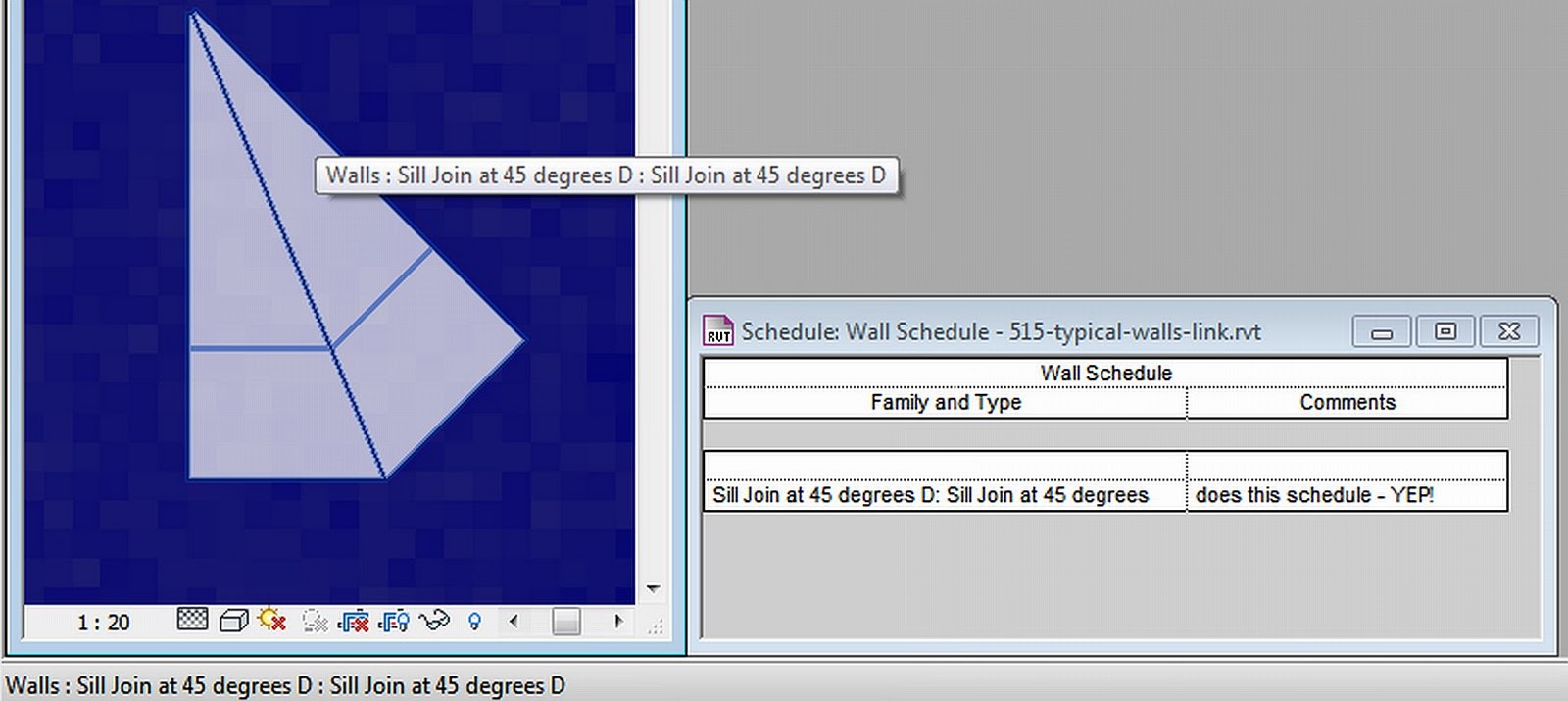
- It is a Component family with the Category set to Walls!
And guess what – it shows up in a Wall Schedule 🙂 I’m a little scared of what the repercussions of this hack may be, so please use at your own risk.
Have a great weekend everyone!
Discussion
4 archived comments. New comments are not enabled.
Yeah... Theyve had a family template made by using that method, at this office since before my arrival. Ill tell you what i would do: Get rid of it immediately. They cause serious stability issues. They get erratic if things are hosted to them, they delete things, they cause errors and hiccups when a journal has to report a *category* for the family, and all sorts of other weird stuff.
Totally not worth the investment.