Create 3D PDF files from Autodesk Revit for free
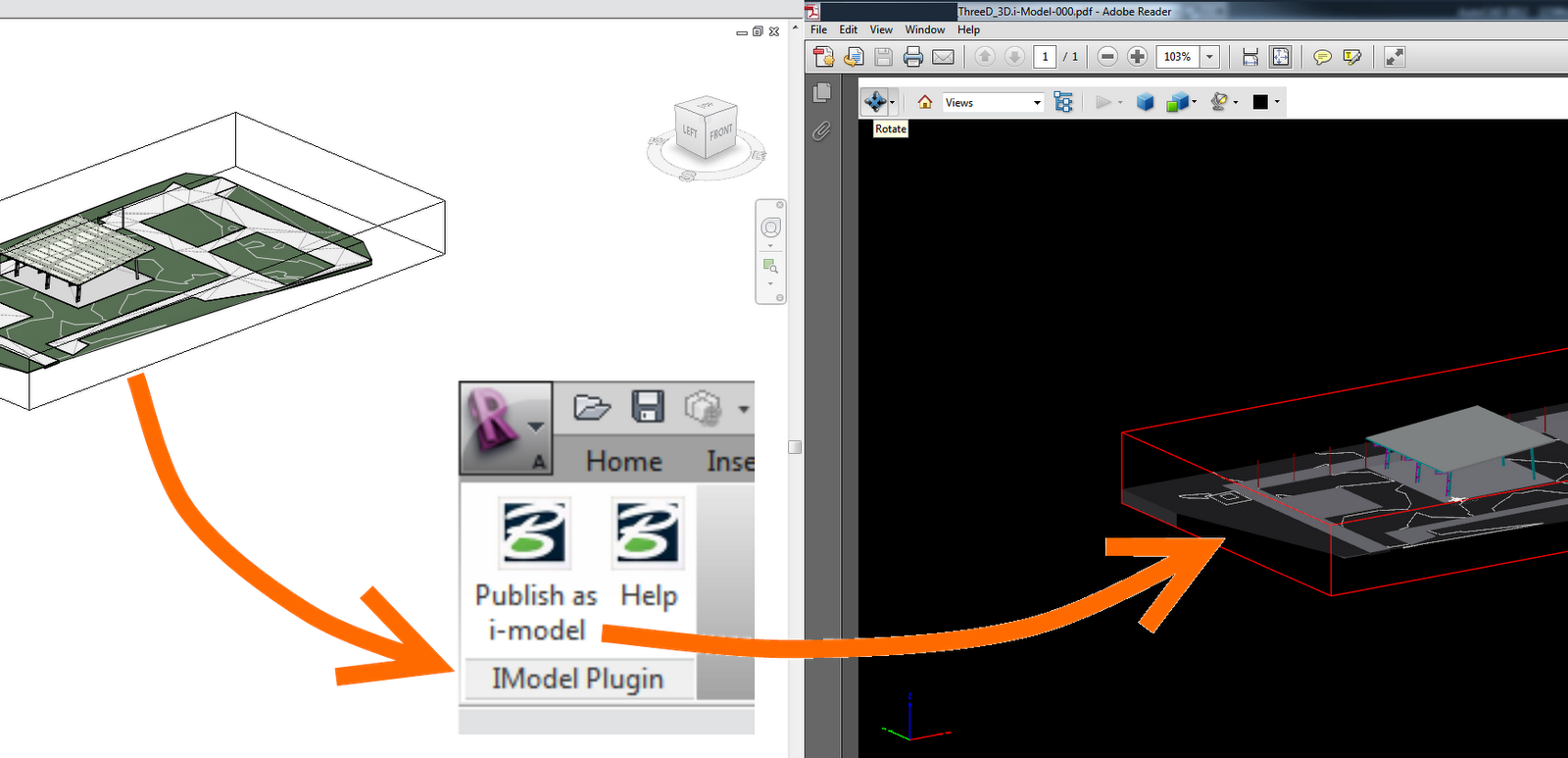
The steps below show how to do it using the i-model plugin (you may also want to look at converting a 3D DWF straight to a 3D PDF):
- Close Revit
- Download and install i-model plug-in for Revit (you will have to register)
- Download and install Bentley View
- Open a Revit project
- Open a 3D view
- In the Ribbon, go to Bentley – Publish as i-model
- Open the i-model DGN in Bentley View
- File – Print to PDF
- Tick ‘Print to 3D’
- Click Printer button
- Choose a place to save your file
- Open the 3D PDF in Adobe Reader
- Have fun navigating your Revit model inside a 3D PDF file.
If you’re looking to buy Autodesk software, try finding it here with special deals.
Discussion
13 archived comments. New comments are not enabled.
any idea? I work with seven 64.
cheers
Thanks,
Tim
I have noticed the same limitation with PDF-XChange Viewer. It seems that vanilla Adobe Reader is the most stable viewer for 3D PDF files.
Re: REVIT to PDF 3D plot - Autodesk Discussion Groups
I've also worked a little further with 3d pdf and have come to the conclusion that when you run it through bentley as in my previous blog post becomes the graphic details, colors and other broadcast on building "distorted" with some wrong colors for instance can windows become red. Not the best to send to the client or some contractors. Therefore I purchased an older program called Acrobat 3D, where you can export their Revit drawings to DWF format and open it directly in Acrobat 3D.
via Google Translate
Google Translated page
Tech Soft 3D
3D PDF Converter for Revit®
Bentley View option works with .dgn .dwg out of revit also, so imodel exporter is not necessary...... Haven't tested other 3D options with Revit.