Change Every Font Everywhere in Revit with this Powerful Free Addin … AND How to Fix SecretInternal Type Arrowheads and Dimensions
Massive free time saver for changing or swapping fonts in a Revit project!
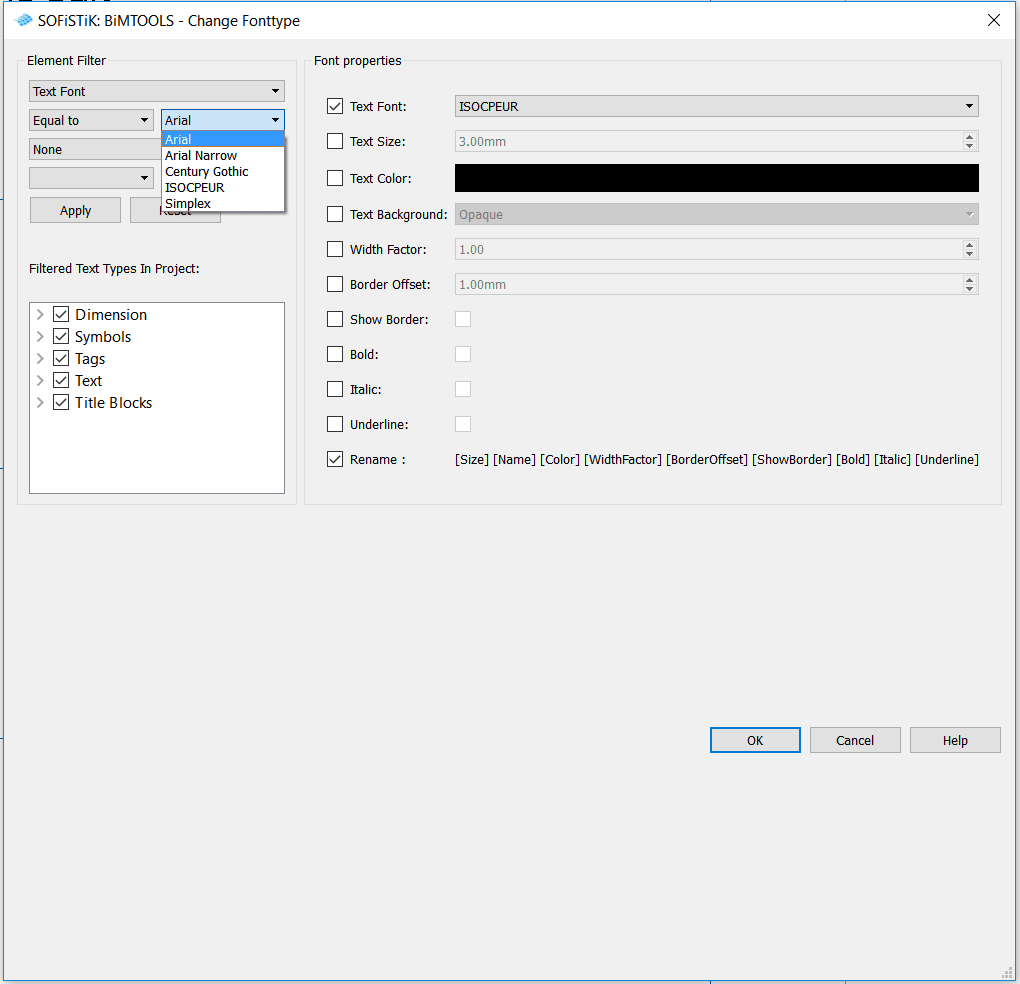
Unfortunately, its not quite ‘everywhere’ – Generic Annotations need to be manually fixed. You can copy a text type to a Generic Annotation by first placing an instance of that text type on a Sheet in the Project.
Download at:
Sofistik Bimtools 2015
Sofistik Bimtools 2016
Sofistik Bimtools 2017
But what about SecretInternal Types?
This tool created another annoying problem for me… it exposed a whole bunch of ‘secret internal types’ in Revit.
How do we solve the SecretInternalTypes?
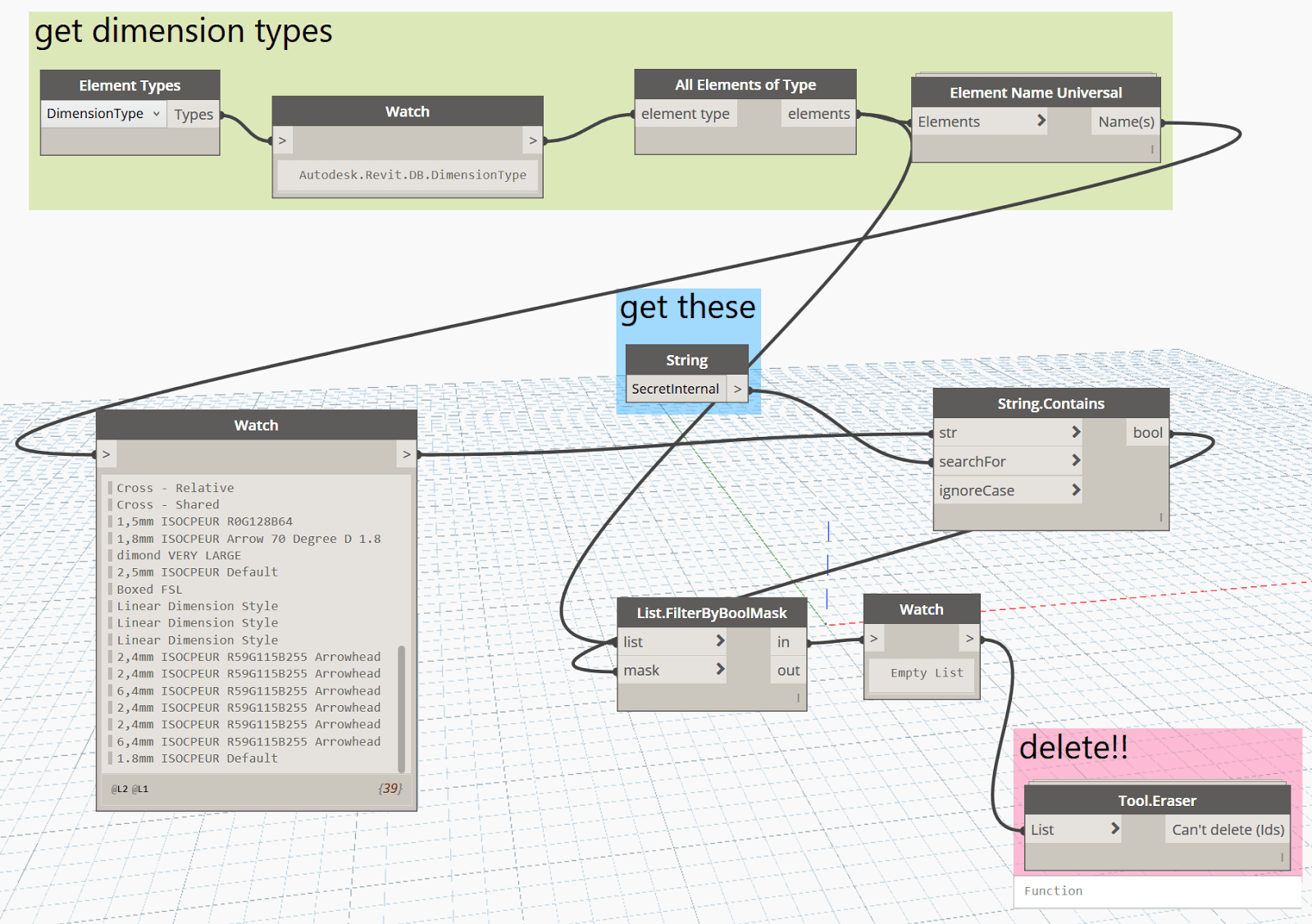
Here is what it they look like, along with how to fix them by deleting selectively with Dynamo.
Arrowheads:
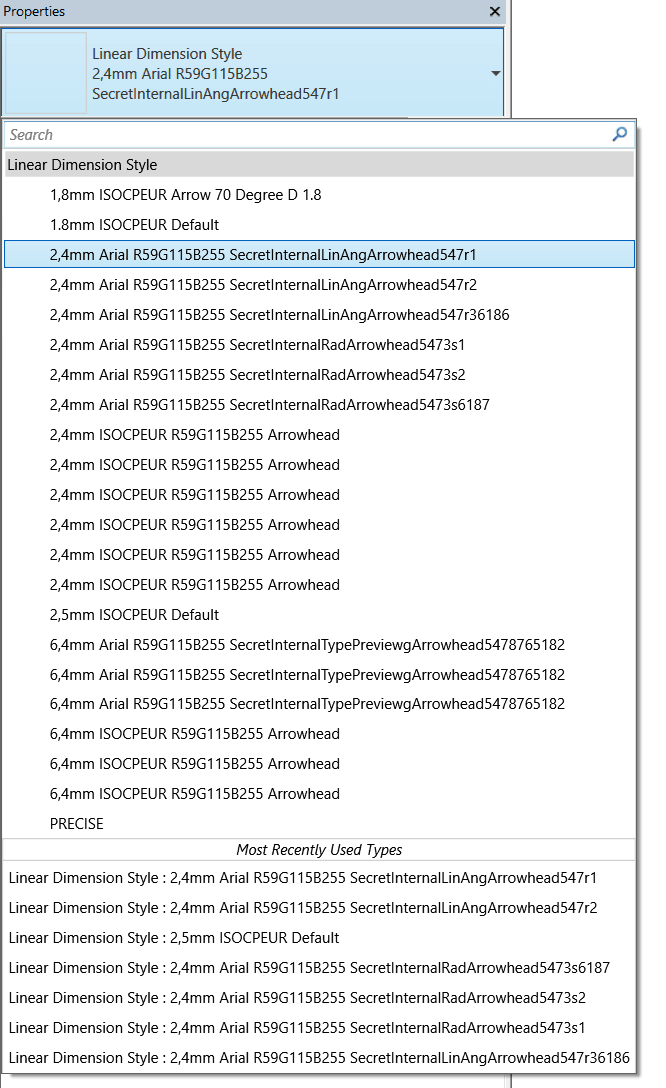
Fixing / removing SecretInternal arrowheads with Dynamo:
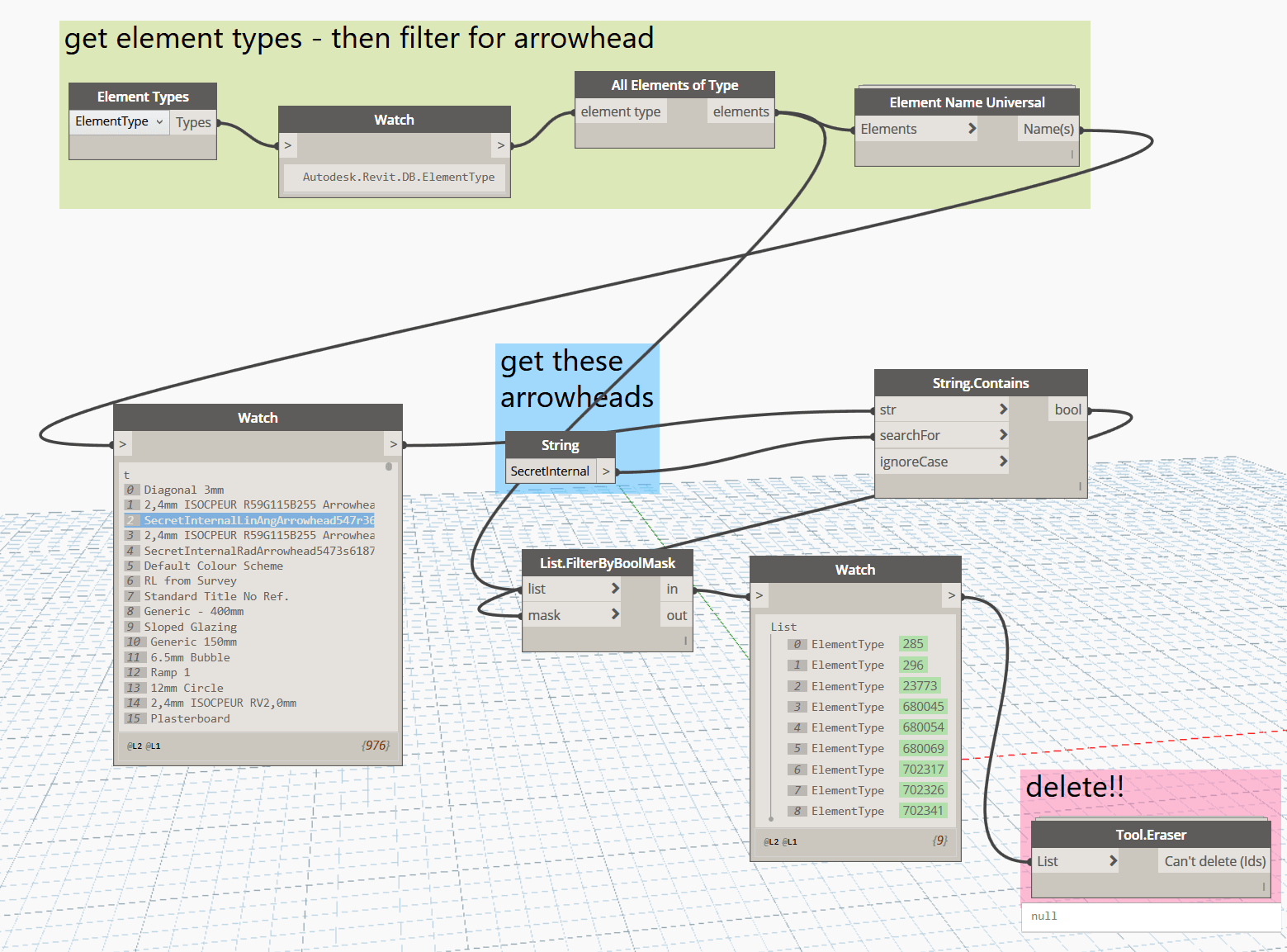
Dimensions:
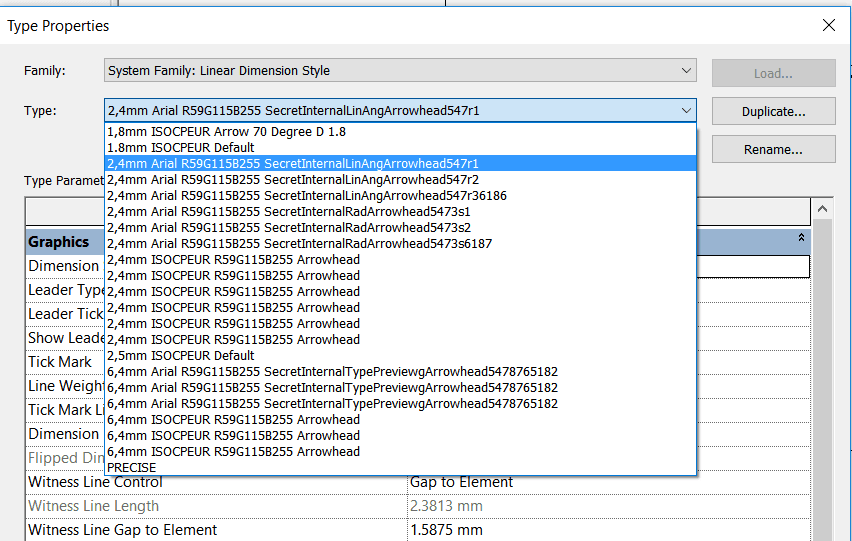
Fixing / removing SecretInternal Dimensions with Dynamo:
Removing the arrowheads resulted in a broken Elevation mark:
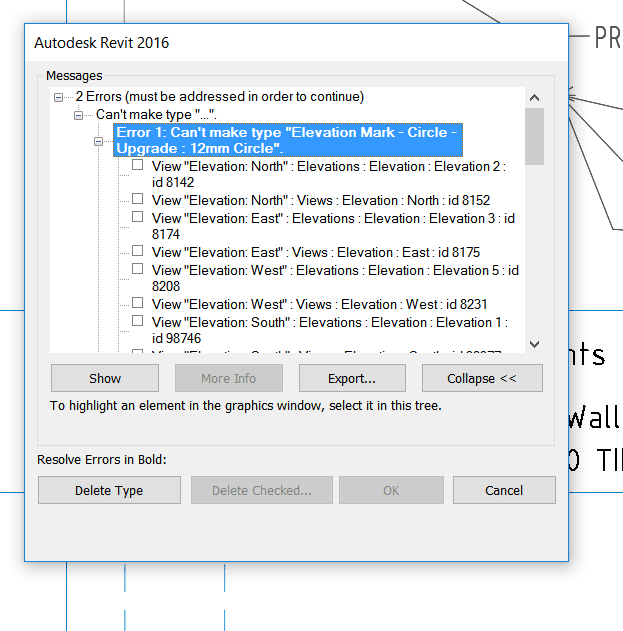
To fix this, I deleted the broken types and families (the Elevation Circle and Pointer) using the Project Browser, and then Transfer Project Standards – Elevation Types from a known good project.
So, now my fonts are changed and my SecretInternalTypes are fixed 🙂
Discussion
3 archived comments. New comments are not enabled.