Another one of those rarely used tools – Show Hidden Lines
I have been using Revit for over 5 years now, and I don’t think I have ever used the Show Hidden Lines tool. Am I the only one? Basically, its a two pick tool, first pick for the ‘front’ element, second pick for the ‘back’ one – then, then lines from the back element will show through as Hidden Lines.
This tool is hiding on the View ribbon panel:
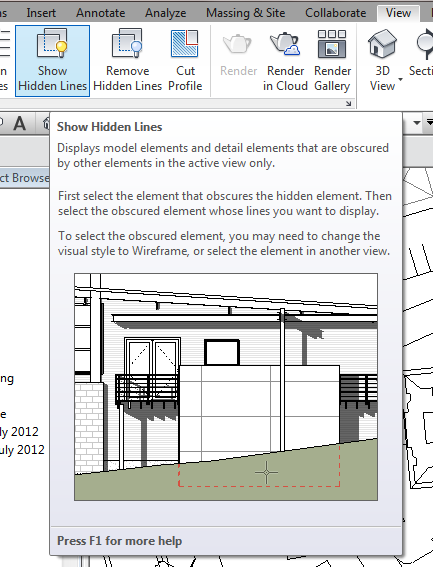
From the Wiki:
After you put detail components in the correct graphic draw order, you can use the Show Hidden Lines tool to obscure the lines behind a detail component.
via
Show Hidden Lines – WikiHelp
Discussion
6 archived comments. New comments are not enabled.
On my side I use this tool every day in my structural steel detailling workflow. As required by standards we show overlayed structural elemenys by using this tool.