Add the RevitHelp Twitter Feed to your Revit Communications Center
Click on the little satellite dish, then InfoCenter settings:
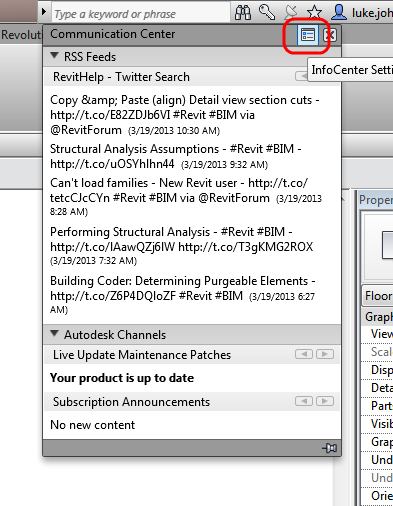
Go to RSS Feeds and click Add, then copy and paste the following string:
http://search.twitter.com/search.atom?q=RevitHelp
Done!
While you are at it, why not add What Revit Wants:
http://feeds.feedburner.com/WhatRevitWants
Notes:
Twitter RSS that doesn’t work in Communications Centre:
https://api.twitter.com/1/statuses/user_timeline.rss?screen_name=RevitHelp
Read more:
Is there any way to display my tweets via an rss url? | Twitter Developers:
Discussion
2 archived comments. New comments are not enabled.
http://feeds.feedburner.com/revithelpfeed