Accurately Rotating Sections
For some of you, this will be old news. However, it is a very important yet not very well known procedure. How do you accurately rotate an existing section view accurately?
Here are the steps:
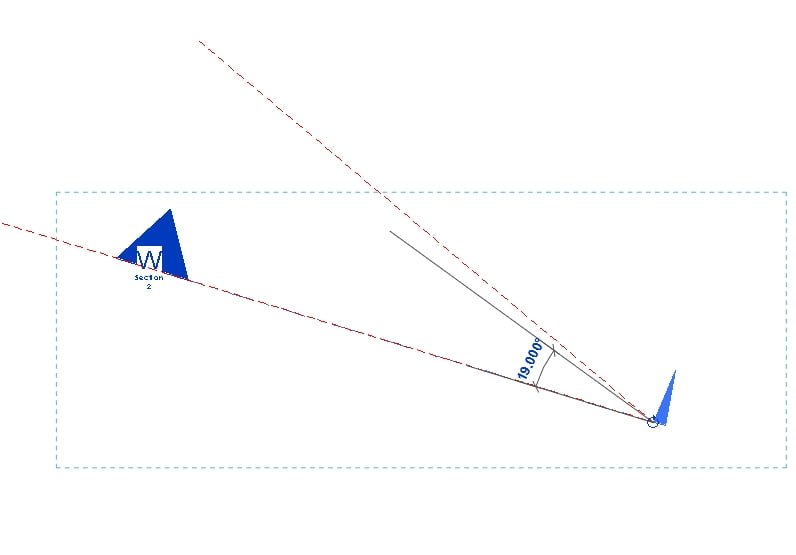
- Draw a reference plane from the ‘tail’ of your existing section to (or through) the head point. The Reference Plan should snap to both of these. This is the current ‘plane’ of your section.
- Draw another Reference Plane that is parallel to the way you want the section to face.
- Move this new Reference Plane so that it also starts from the tail of the section.
- Select the Section.
- Rotate. Move the rotation marker to the tail of the section.
- Use the two reference planes to accurately rotate your section!
Discussion
1 archived comments. New comments are not enabled.