2009 UI Still Lives!!!
I personally am quite happy with the Ribbon, particularly with the new enhancements.
But out of curiousity, I just thought I would see if the Classic UI is still alive in 2011 – and it is!
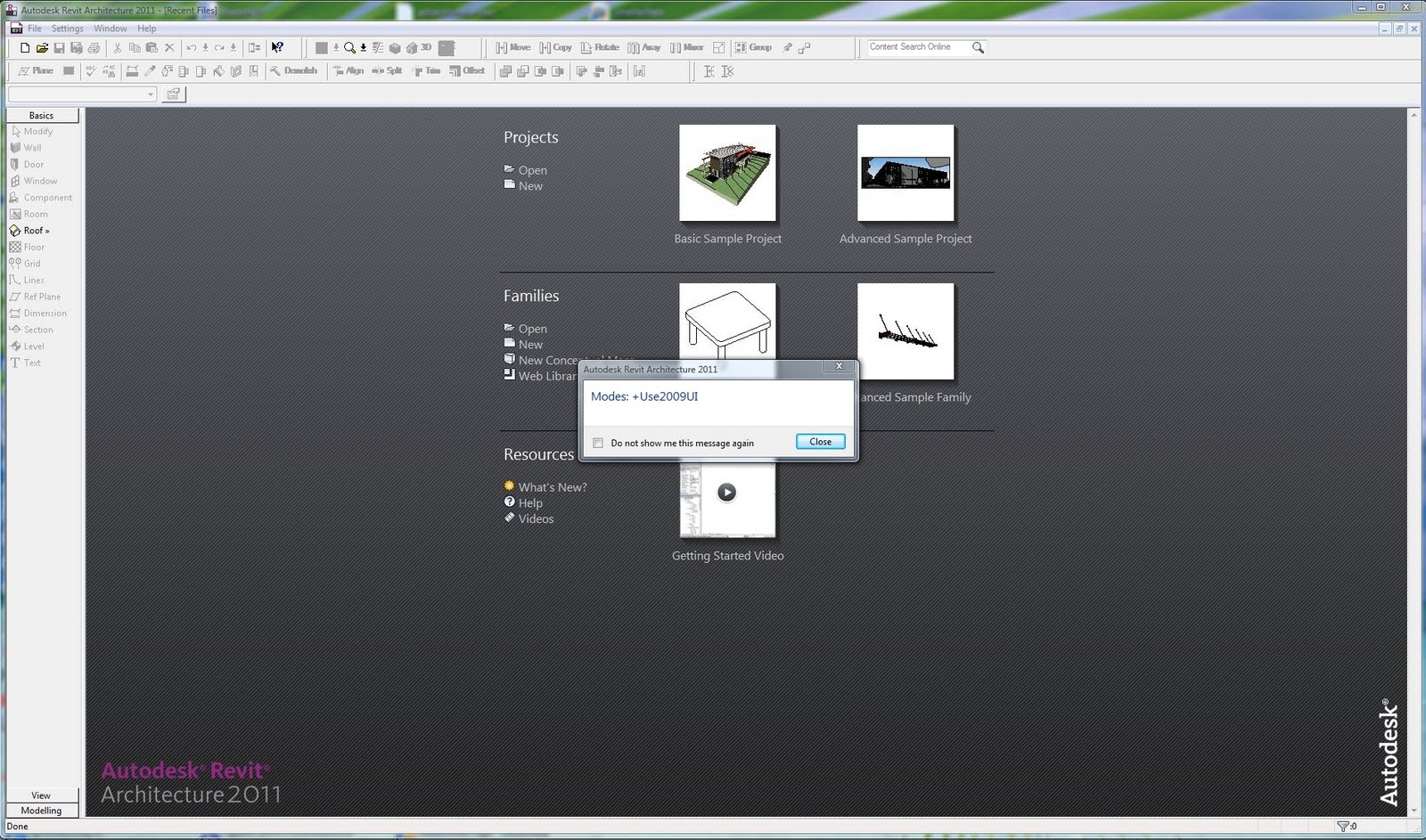
So if you want to continue to rebel against the previously named DLM (Drunken Leprechaun Mode), that option is still open to you.
However, I sense that the aforementioned Leprechaun is starting to sober up…
Discussion
3 archived comments. New comments are not enabled.
I don't understand why people are afraid to move onto Revit 2011. I know that 2010 was an issue with the UI but the new look and feel from 2011 is far better than 2010 and 2009 ever was. I find that I can find my tools far quicker with this new UI than I did with any of the older programs.
of revit users don't get it.
They believe the ribbon is new and
modern and that the other UI is old
and "classic". After all- the ribbon
does have new eye-candy and artful
icons.
But revit itself is not old enough
to be a classic anything.
Photoshop is similar to revit in
the sense that you have large numbers
of commands to be changing while you
are working on something. With
photoshop you click a tab and the
menu drops down vertically- that
is the fastest way.
No matter how artful it all looks-
there is only two possible ways to
open menus from a tab: vertical or
horizontal.
The ribbon is nothing more or less
than menus opening horizontally from
a tab.
Autodesk marketing people wanted to
fundamentally change something so
bad that they gave us horizontal
opening menus.
Big mistake.
but I believe this follow-up
is worthwhile.
I do think it would have been
a better choice to modernize
the drop-down menu approach for
Revit like Photoshop did.
BUT we are well into the horizontal
menu (ribbon) for Revit and way too
many Revit users now like it- slower
or not.
The ribbon really is modern and it's
everywhere in computer programs. It's
just debatable whether it's suitable
for complex programs like Revit- but
Autodesk has done a good job with it
for 2011.
Has anyone noticed that the Revit
native UI has just been sitting there
in the background doing nothing for
two years?
If it has been happy sitting there this
long- then what a golden opportunity to
upgrade that UI and give users a choice
between drop-down menus or the ribbon.
Autodesk did exactly that very nicely
with AutoCAD LT 2011 by offering both
the ribbon AND an updated version of
the classic drop-downs and button bars.
I wouldn't be surprised if that is what
Autodesk is working on right now for
Revit.
I hope they are anyway.